

Commission disclosure: This article includes a promotional link to CreateStudio. The guidance below is independent and aimed at helping small-business marketers evaluate a desktop video editor with a real project, not a feature tour.
If you are a small-business marketer, founder, or solo operator trying to decide whether a desktop animated-video editor belongs in your workflow, the most useful trial is one that produces evidence. For CreateStudio, the official free-trial and help-center pages checked on 16 September 2026 state that the trial lasts 14 days, includes access to the full All Access feature set, provides 750 AI credits, and auto-bills on day 15 unless cancelled. This guide shows how to turn that window into a practical evaluation of fit, not just a casual look around.
Direct Answer & Introduction
What this trial plan is for
The aim is to help you decide whether a video tool can support the kind of work you actually do: short promos, explainers, product updates, social clips, or internal announcements. The outcome should be a finished or near-finished project, plus notes about speed, ease, brand control, and export confidence.
The simplest answer
Choose one small, realistic project and run the entire trial around it. If you want a broad decision checklist for the product itself, see the CreateStudio free trial decision guide. If you already know you need planning help before opening the editor, the animated explainer storyboard guide is a useful companion.
Fundamentals
What a useful trial is trying to prove
A useful trial should answer three questions: can you get started quickly, can you shape the video to match your brand, and can you export something that is fit for your channels? Those questions matter more than whether the software looks impressive in a demo environment.
Define your terms before you begin
Trial: the limited evaluation window before billing begins. Project: the single video you will build during the trial. Success criteria: the small set of things you will judge at the end, such as draft speed, editing comfort, and export reliability.
Keep the test close to real work
If your business normally creates social ads, do not spend the whole trial building a long training video. If your team needs explainers, do not evaluate only title cards. A realistic match between test task and everyday work gives you better evidence than a broad but shallow tour of features.
Main Process / Strategies
Step 1: define one small project
Pick a project you could reasonably complete inside 14 days: for example, a 20–45 second promo, a product announcement, or a short explainer. Write a one-paragraph brief with audience, message, length, format, and deadline. Keeping the brief narrow helps prevent scope creep.

Worked hypothetical example: A local services business wants a square social promo for a seasonal offer. The brief is one headline, three benefits, one call to action, brand colours, and a logo. That is enough to test whether the software supports your real workflow without turning the trial into a full campaign.
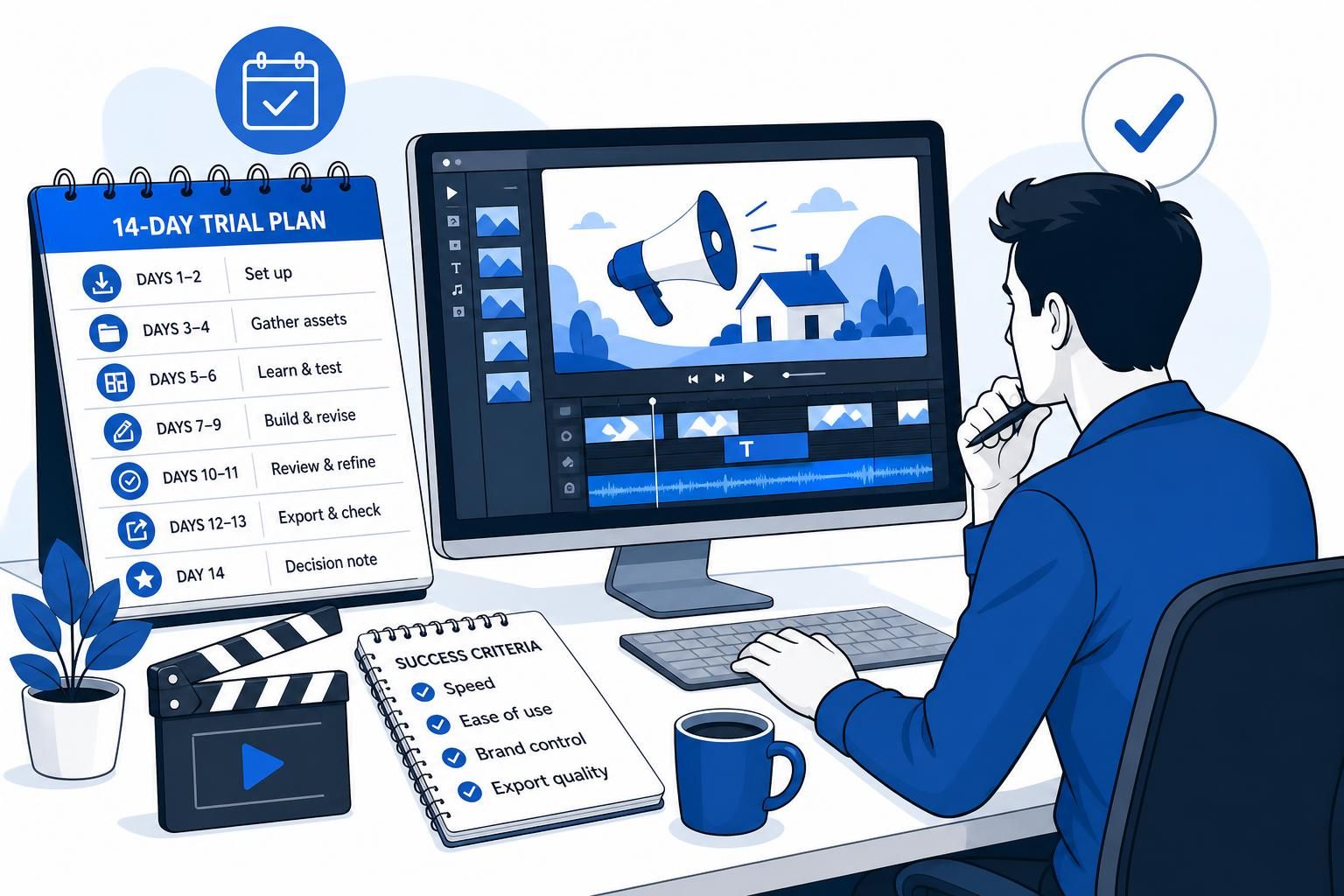
Step 2: map the 14 days before you open the editor
A schedule keeps the trial from drifting into “I’ll look at it later.” Here is a practical structure:
- Days 1–2: install, sign in, and confirm the desktop app runs on the machine you will use most.
- Days 3–4: gather assets such as logo files, copy, colour references, and any approved visuals.
- Days 5–6: test one template or starting layout and learn the minimum controls you need.
- Days 7–9: build the first usable draft and revise it as if it were a real deadline.
- Days 10–11: review branding, timing, readability, and any voice or lip-sync elements if your project uses them.
- Days 12–13: export, check the file, and create a backup copy if you need one for your records.
- Day 14: write your decision note before the trial ends.
This structure is intentionally simple. The point is not to complete every possible experiment; it is to keep the evaluation moving toward a decision.
Step 3: choose success criteria that match your workflow
Decide in advance what “good enough” means for this trial. Four practical criteria are usually enough:
- Speed: how long it takes to get from blank start to a usable draft.
- Ease of use: whether a non-specialist can make progress without repeated help.
- Brand control: whether you can keep colours, fonts, logo placement, and messaging aligned.
- Export quality: whether the final file plays back correctly and suits your channel.
You do not need a complex scoring model. A simple 1–5 rating with one sentence of evidence under each score is enough to make the final decision less emotional.
Step 4: use the trial features only as your project requires
CreateStudio’s official pages say the trial includes full feature access and 750 AI credits. That is useful, but it does not mean every workflow needs to use every feature. A smart trial keeps the attention on your actual project. If your draft needs scene generation, test that. If it does not, do not burn time exploring unrelated tools.
Important qualification: unlimited exports are not the same thing as unlimited AI generation. If your project depends on AI-assisted steps, track how many credits you use so you understand where the trial’s limits may matter.
Step 5: evaluate the output, not just the editor
A tool can feel intuitive in the interface and still be awkward when you look at the result on a real screen. Review your draft for readability, motion pacing, and whether the final export matches what you expected in the editor. If your project includes spoken audio, a separate quality pass on voice timing and mouth movement is worthwhile; the voiceover and lip-sync checklist can help with that step.
Step 6: treat export and retention as part of the decision
Before the trial ends, export the file in the format you would actually use. Check naming, file size, playback, and whether the result is easy to store or hand off. Then decide whether the trial produced enough value to continue. If export management is important to you, the video trial export checklist is a good companion.
FAQs, Mistakes & Expert Insights
Common mistakes to avoid
Testing too many projects at once. If you try to evaluate ads, explainers, and social clips in the same short window, you will not get clean evidence about any one workflow.
Judging only the first hour. Many tools feel fine when you first open them. The real test is whether you can revise, refine, and export without friction.
Confusing feature breadth with fit. A large template library or long feature list does not automatically mean the software matches your team’s process.
Assuming AI trial credits behave like unlimited usage. The official materials checked for this article distinguish 750 AI credits from unlimited exports, so it is better to treat those as separate limits.
Waiting until the final day to decide. Because the trial auto-bills on day 15 unless cancelled, it is wiser to make your renewal note before the last hour.
Nuanced points that matter
The best trial is not the one that shows the most features; it is the one that shows whether your team can produce a believable, brand-safe video with reasonable effort. That is especially important for small businesses, where the question is workflow fit rather than technical spectacle.
Also, a trial can still be worthwhile even if you do not use every available tool. What matters is repeatable usefulness for the projects you actually make.
What is the best kind of project to use during a video software trial?
Use one small project you could realistically publish or send for approval, such as a short promo, product update, or simple explainer. It should be small enough to finish, but complete enough to test setup, editing, branding, and export.
Should I spend time exploring every feature in the trial?
No. Focus on the features your real workflow needs. Broad exploration can be helpful at first, but it can also distract you from the evidence you need for a renewal decision.
How do I know whether the software is easy enough for my team?
Watch how much help a non-specialist needs to make a first draft, revise it, and export the result. If the process depends on repeated workaround thinking, that is a warning sign even if the tool is powerful.
What should I record during the trial?
Note how long each stage takes, where you hesitate, any brand-control issues, and whether the final export matched your expectations. Short written notes are enough if they are specific.
What if I finish the project early?
Use the remaining time to repeat one key workflow, such as changing a headline, replacing music, or exporting a second version. Repetition shows whether the tool is dependable, not just whether you completed one draft.
What is the best kind of project to use during a video software trial?
Use one small project you could realistically publish or send for approval, such as a short promo, product update, or simple explainer. It should be small enough to finish, but complete enough to test setup, editing, branding, and export.
Should I spend time exploring every feature in the trial?
No. Focus on the features your real workflow needs. Broad exploration can be helpful at first, but it can also distract you from the evidence you need for a renewal decision.
How do I know whether the software is easy enough for my team?
Watch how much help a non-specialist needs to make a first draft, revise it, and export the result. If the process depends on repeated workaround thinking, that is a warning sign even if the tool is powerful.
What should I record during the trial?
Note how long each stage takes, where you hesitate, any brand-control issues, and whether the final export matched your expectations. Short written notes are enough if they are specific.
What if I finish the project early?
Use the remaining time to repeat one key workflow, such as changing a headline, replacing music, or exporting a second version. Repetition shows whether the tool is dependable, not just whether you completed one draft.
Summary & Next Steps
Your decision framework
A useful 14-day video trial should end with evidence, not guesswork. Define one project, run a simple schedule, test the draft and export flow, and write a short decision note before the trial ends. That gives you a fair view of whether the tool fits your work.
What to do next
Review your notes against your channel needs, brand rules, and the type of videos your team actually produces. If you need related planning support, the animated explainer storyboard guide, the voiceover and lip-sync checklist, and the video trial export checklist can help you make the trial more conclusive. For broader product context, return to the CreateStudio free trial decision guide.

[…] own scene. For teams comparing tools against a real workflow, that same logic connects well with trial planning before editing and export checks before a trial […]