

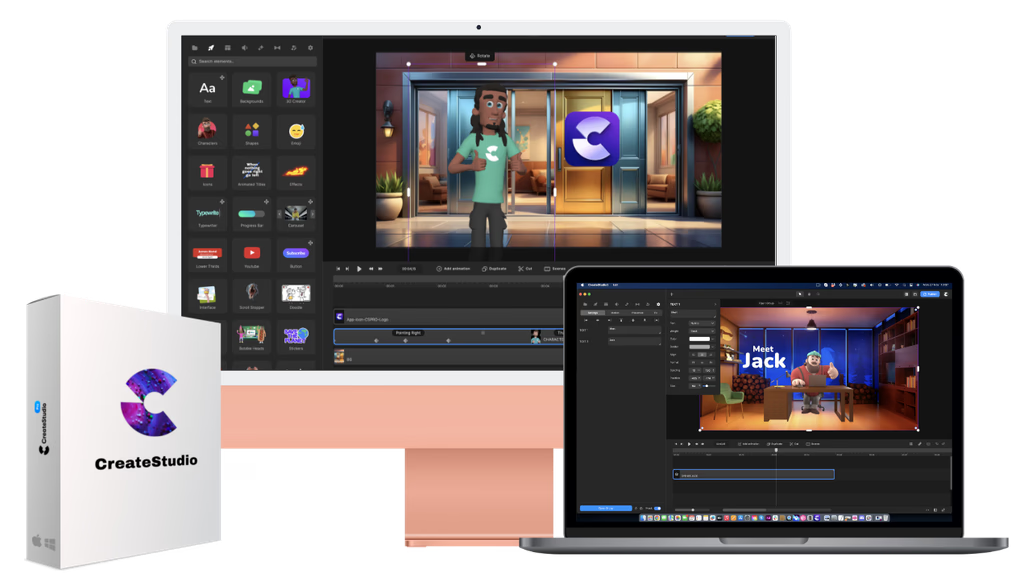
 Commission disclosure: This article contains a promotional link to CreateStudio. If you choose to buy through it, ProdifyDigital may earn a commission at no extra cost to you.
If you are a small-business marketer deciding whether CreateStudio is worth a trial slot, the short answer is yes—if your goal is to test a desktop animated-video editor against a real campaign workflow, not just browse features. Based on the official free-trial page and help-center article checked on 16 September 2026, CreateStudio advertises 14 days of All Access, 750 AI credits, desktop installation for Windows and Mac, and automatic monthly billing on day 15 unless you cancel first. The outcome to aim for is simple: use the trial to find out whether the editor, template library, AI tools, and export process fit how you actually produce marketing videos.
This is a decision-focused review, not a hands-on test report. So the main question is not whether the software can do many things in theory, but whether the trial gives you enough room to validate fit before billing begins and before cancellation deletes work in the account.
Direct Answer & Introduction
Who should care about this trial
CreateStudio’s trial is most relevant to marketers, founders, and small teams that want animated explainers, promos, ads, or social clips without moving straight into a paid plan. The vendor positions the trial as full access to the app for 14 days, which makes it useful for a practical “can this fit our workflow?” decision rather than a lightweight demo.
The main decision in plain language
The central issue is whether you can produce something useful in the trial window and whether the billing and cancellation terms are acceptable. The official pages say the trial auto-subscribes monthly on day 15, and the cancellation FAQ warns that cancelling permanently deletes video creations in the account. That means the trial should be treated as temporary working space, not a safe storage system.
What the offer appears to include
The official trial page and help-center article say the trial includes full access to features, templates, characters, scenes, unlimited exports, and 750 AI credits. The practical nuance is that unlimited exports do not mean unlimited AI generation, because the AI tools are separately governed by the credit allowance. In other words, the editor can be broadly open while still having a finite budget for AI-assisted features.
Fundamentals
Essential terms to understand
All Access means the trial is presented as full access to the CreateStudio toolkit during the trial period. AI credits are a separate allowance for AI-powered tools, so they should be tracked independently from general editing and export access. Auto-billing means the account converts to a monthly subscriber after the trial unless you cancel in time. Desktop installation matters because the app runs on Windows and Mac rather than in a browser-only environment.
Vendor claims versus practical evaluation
CreateStudio’s pages use strong marketing language about speed, ease, and broad capability. Those statements are best treated as claims to test, not proof. For a small-business marketer, the useful interpretation is that the product is designed to cover a wide range of animated marketing tasks, but the trial still has a hard deadline and a separate AI-credit constraint that shape what you can evaluate.
What “good fit” usually means for this audience
A good fit usually means you can create short promotional or explanatory videos without a steep learning curve, reuse templates without breaking brand consistency, and understand enough of the workflow to decide before the trial ends. If your team needs heavy custom animation, a browser-first collaboration model, or long-form creative experimentation, the trial should be used to see whether CreateStudio simplifies work or adds friction.
Main Process / Strategies
Start with one real campaign asset
The best trial strategy is to begin with one actual marketing piece you might publish. That keeps the evaluation grounded in your real process instead of in general curiosity. A product intro, service explainer, event promo, or social ad is usually enough to reveal how the editor handles layout, branding, media swaps, and export.
Hypothetical example: a local service business might create a 30-second Facebook ad that introduces a seasonal offer. The test would cover choosing a template, changing text, swapping colors, adding a logo, trying one AI feature, and exporting the final file. That one project gives a much clearer verdict than clicking through the library without a goal.
Use an included-versus-limited checklist
It helps to separate the trial into three buckets:
- Included and broadly usable: editor tools, templates, characters, scenes, and export options.
- Included but capped by allowance: AI tools that draw from the 750-credit pool.
- Limited by time or policy: access ends when billing starts unless you cancel, and cancelled accounts lose video creations according to the FAQ.
This distinction matters because “full access” can sound unlimited when it is not. For example, you might be able to export repeatedly while still running out of AI credits if you test scene builders or AI voice features too aggressively.
Confirm the desktop setup early
Because the offer is for Windows and Mac desktop installation, the first practical check is whether the app installs and runs properly on the machine you actually use for work. Confirm sign-in, project creation, asset loading, and export on that device before spending time building a full draft. A desktop app can be a benefit for a dedicated workflow, but only if your hardware and IT setup cooperate.
Think of AI credits as a budget, not a bonus
The 750 AI credits are enough to test the AI layer, but they are not a guarantee of unlimited experimentation. The smart approach is to plan a small number of representative AI actions. For instance, you might compare one AI-generated scene with one manually assembled scene and then judge which path gives you more control, consistency, and speed for your team’s needs.
Simple evaluation framework before day 15
Before the trial ends, answer four questions:
- Can I build the kind of marketing video I need without excessive friction?
- Do the templates and editor controls support my brand, or do they fight it?
- Are the AI features useful enough to justify the limited credit pool?
- Am I comfortable with auto-billing and the cancellation/data-loss terms?
If the answer is yes to the first three and you are comfortable with the fourth, the trial has likely done its job. If not, the right move is to decide before day 15 rather than drift into paid billing by default.
Worked decision example
Imagine a small-business marketer who needs one explainer and one paid-social variant. The first project tests whether the editor can produce a clear, branded video quickly. The second tests whether the workflow is repeatable. If unlimited exports let you iterate easily but the 750 AI credits disappear faster than expected, the trial may still be useful—but mainly as proof that the product works better for template-led editing than for AI-heavy experimentation.
For readers who want a step-by-step testing structure, see trial planning for the scheduling side, then move into storyboarding before opening the editor.
FAQs, Mistakes & Expert Insights
Common mistake: treating “full access” as unlimited in every way
The biggest misunderstanding is assuming that broad access removes every practical limit. It does not. The editor and exports may be open, but AI features still draw from a finite credit allowance, and the trial still ends on a billing date. A clean evaluation keeps those limits separate.
Common mistake: waiting until the last day to check cancellation and export
Another mistake is saving cancellation and final-file review for the end of the trial. The cancellation FAQ says that cancelling permanently deletes video creations in the account, so you should export and back up anything important before you end the trial. Do not assume the account will preserve work after cancellation.
Common mistake: judging the tool by library size alone
Template counts and asset volume can be helpful, but they are not the same as workflow fit. A large library may speed up production, yet the real test is whether you can adapt those assets without damaging brand consistency or wasting time on cleanup.
Nuanced insight: unlimited exports can still be valuable even with finite AI credits
Many marketing teams spend more time customizing layouts than generating AI assets. In that case, unlimited exports may be the more important part of the trial because they allow repeated iteration. On the other hand, if your process depends on frequent AI scene generation or voice features, the 750-credit cap may be the first limit you notice.
Nuanced insight: desktop software is neither automatically easier nor harder
A desktop editor can feel more stable and purpose-built than a browser tool, but it can also be more dependent on your device setup. For some teams that is a strength; for others it is a deployment issue. The trial is the right time to find out which one you are.
FAQ
What does the CreateStudio free trial include?
The official trial materials say it includes 14 days of All Access, unlimited exports, and 750 AI credits. The important nuance is that AI tools still operate under a separate credit allowance, so broad access does not mean every usage path is unlimited in the same way.
When does billing start after the trial?
The official pages state that the trial auto-subscribes monthly on day 15 unless you cancel first. That makes the first two weeks the only safe evaluation window if you do not want a paid subscription to begin.
Do the AI credits cover every AI feature in the app?
No. The supplied sources distinguish the AI-credit allowance from the general trial access. You should therefore treat AI features as capped trial usage rather than assuming they are open-ended just because the editor itself is broadly available.
What happens if I cancel the trial?
The cancellation FAQ warns that cancelling permanently deletes video creations in the account. Because of that, you should export and back up anything you may need later before ending the trial.
Is the template-library screenshot the same as the trial allowance?
No. The supplied template-library screenshot is a contextual illustration of the library, not proof of a specific trial balance. Use the official trial page and help-center article for the actual trial allowance and billing terms.
What does the CreateStudio free trial include?
The official trial materials say it includes 14 days of All Access, unlimited exports, and 750 AI credits. The important nuance is that AI tools still operate under a separate credit allowance, so broad access does not mean every usage path is unlimited in the same way.
When does billing start after the trial?
The official pages state that the trial auto-subscribes monthly on day 15 unless you cancel first. That makes the first two weeks the only safe evaluation window if you do not want a paid subscription to begin.
Do the AI credits cover every AI feature in the app?
No. The supplied sources distinguish the AI-credit allowance from the general trial access. You should therefore treat AI features as capped trial usage rather than assuming they are open-ended just because the editor itself is broadly available.
What happens if I cancel the trial?
The cancellation FAQ warns that cancelling permanently deletes video creations in the account. Because of that, you should export and back up anything you may need later before ending the trial.
Is the template-library screenshot the same as the trial allowance?
No. The supplied template-library screenshot is a contextual illustration of the library, not proof of a specific trial balance. Use the official trial page and help-center article for the actual trial allowance and billing terms.
Summary & Next Steps
The bottom line
CreateStudio’s free trial is best viewed as a short, structured decision window for marketers who want to test an animated-video editor in a real workflow. The strongest positives in the official materials are broad feature access, unlimited exports, and a finite but usable AI-credit allowance. The main cautions are automatic billing on day 15 and the cancellation warning about permanently deleted video creations.
How to move forward
If you are considering the product, use the trial to complete one real project, one export check, and one AI-feature check. If those tests show that the editor fits your brand, pace, and team setup, the product may be worth keeping. If not, end the trial before billing starts and treat the exercise as a useful evaluation rather than a sunk cost.
Cluster reading to continue the process
After this decision stage, the next practical steps are template customization, voice and lip-sync review, and export checks before renewal. You can also revisit the official offer page through CreateStudio if you need to recheck the current trial terms.
