

Quick answer
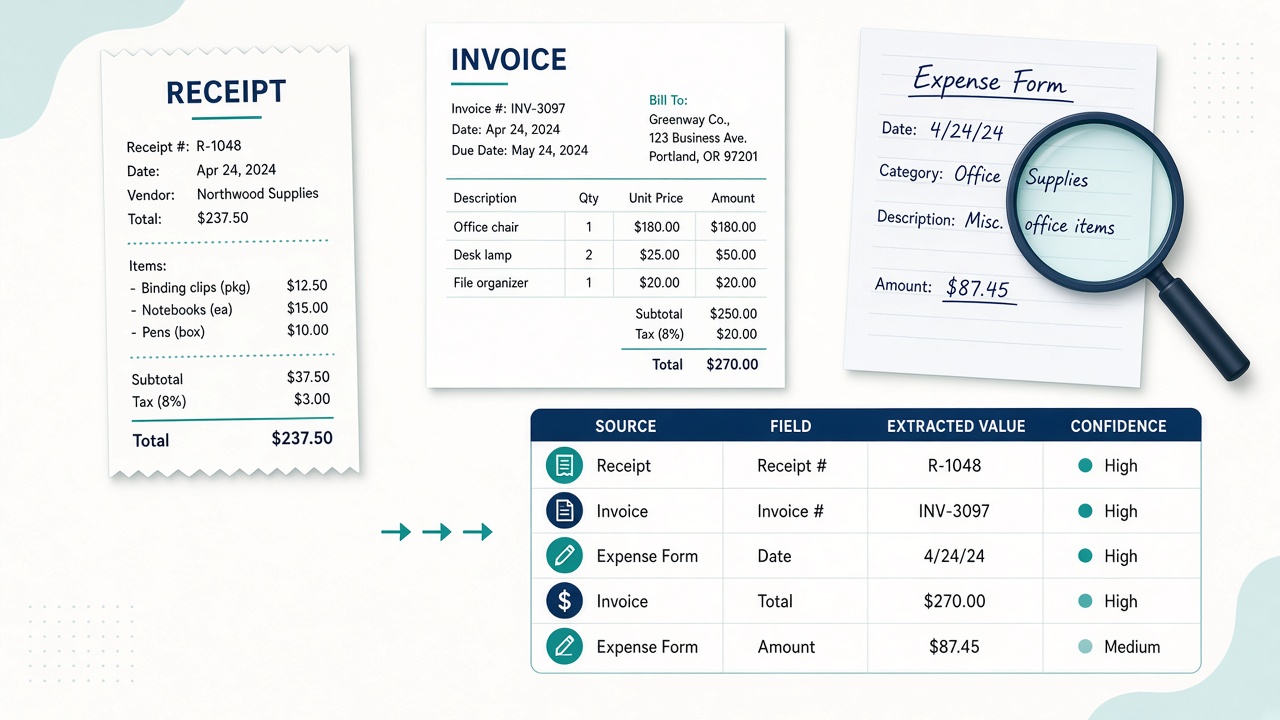
To test an AI vision model on your documents, collect 20 to 30 real examples (redacted where needed), write down the correct value for each field you care about, run them through the model, and score accuracy field by field. Include hard cases such as tiny print, handwriting, tables and rotated scans. Keep a human check on totals, VAT, names and anything costly to get wrong.
Key takeaways
- Test on your own documents, not demo images
- Score each field: totals, dates, names, VAT
- Include hard cases: tiny print, handwriting, rotated scans
- Check data-retention terms before sending anything real
This guide answers one question from our article Gemini 4 Argon Hands-On: Front-End Speed, Vision and AI Rumours: Argon looked strong at reading documents in early tests, but how do you know it will read yours?
📘 Main article: This guide supports our full article, Gemini 4 Argon Hands-On: Front-End Speed, Vision and AI Rumours. Read it for the complete picture.
Why test on your own documents?
In World of AI's early evaluations, Gemini 4 Argon came first against GPT-6 Astra in object detection and led on text extraction: tiny print, handwriting, complicated tables and rotated text.
That is promising, but those were test images, not your supplier invoices or your customers' handwriting.
Your documents have their own quirks: odd layouts, faded thermal receipts, stamps and signatures. Only a test on real examples tells you how often a model gets them right.
What should be in your test set?
| Document type | Include | Why |
|---|---|---|
| Clean invoices | 5 to 10 | Baseline accuracy |
| Faded or crumpled receipts | 3 to 5 | Tests small, faint text |
| Handwritten forms | 3 to 5 | Tests handwriting |
| Multi-line tables | 3 to 5 | Tests table structure |
| Rotated or skewed scans | 2 to 3 | Tests orientation handling |
Do not send customer personal data in this first round. Redact names and account numbers or use dummy versions that keep the same layout.
⚠️ Warning: Use redacted or dummy documents for your first test. Check the provider's data-retention terms and your own GDPR obligations before sending real customer or supplier documents to any hosted model.
How do you build an answer key?
For each document, write the correct value for every field you plan to extract, before you run the model. Typical fields:
- Supplier or customer name
- Date
- Invoice or receipt number
- Line items and quantities
- Net total, VAT and gross total
Writing the answers first stops you from accepting a plausible-looking output as correct.
How do you run and score the test?
- Use the same instruction for every document, asking for the fields in a fixed format such as a table.
- Run all documents through the model.
- Compare each field with your answer key.
- Mark each field correct, wrong or missing.
- Calculate accuracy per field, not just overall.
Per-field scores matter. A model can be excellent on dates and weak on handwritten amounts, and the overall score would hide that.
Mark the fields that would cause real harm if wrong, then decide which fields can be trusted and which always need checking.
💡 Tip: Mark the fields that would cause real harm if wrong, such as totals and bank details. Those fields always get a human check, however good the model scores.
Gather 20 documents today. Mix easy and awkward ones so the test reflects real work.
How should you decide what to automate?
| Result for a field | Decision |
|---|---|
| Consistently correct, low risk | Automate with spot checks |
| Mostly correct, high risk | Automate the draft, human confirms |
| Often wrong or missing | Keep manual for now |
Our main article suggested keeping a human on totals, VAT, supplier names, stock counts and legal wording. That is a sensible default even for a strong model.
What else should you check?
- Hallucinations: users have reported Argon getting things wrong, an old Gemini weakness. Look for invented values, not just misread ones.
- Cost: intro API pricing was about $2 per million input tokens and $10 per million output tokens, expected to rise later. Budget for the higher rate.
- Hosting: Argon cannot run locally, so every document goes through the API.
- Comparison: run the same set through your current tool as a baseline.
Want more practical AI testing guides? We turn reviews into clear next steps for small businesses. Browse the latest on Prodify Digital.
Frequently asked questions
How many documents do I need to test a vision model?
Twenty to thirty is enough to see patterns, as long as you include awkward examples.
Can I use real customer documents?
Only after checking data-retention terms and your GDPR obligations. Start with redacted or dummy documents.
Is Gemini 4 Argon good at reading handwriting?
It handled handwriting well in early tests. Check it on your own samples.
What accuracy is good enough?
It depends on the field. Low-risk fields can be automated at high accuracy; totals and bank details should always get a human check.
Should I re-test later?
Yes, when models update or your document types change.
The bottom line
Strong demo results are a reason to test, not a reason to trust. Build a small set from your own documents, score each field, and keep people on the figures that matter.
Related posts
- Gemini 4 Argon Hands-On: Front-End Speed, Vision and AI Rumours
- Two-Model Front-End Workflow: Fast Draft, Then a Stronger Fix
- How to Set AI Confidence Thresholds for Human Review
