

Quick answer
Choose your signing order by asking one question: does anyone need to see someone else’s signature, or approve the document, before they sign? If not, use parallel signing and send it to everyone at once; it is usually the fastest route. If yes, use sequential signing and set the order so approvals and countersignatures happen in the right place, accepting that one slow person holds up everyone after them. In Scale.gg DocSigner you pick parallel or sequential before sending, then track exactly where the document has stopped.
Key takeaways
- Parallel = everyone signs at the same time; sequential = one after another in the order you set
- Default to parallel for simple two-party agreements where order does not matter
- Use sequential when someone must approve, countersign or check details before the next person
- In a sequence, put the person most likely to change something early, so later signers see the final version
- Your own business usually signs last when you want the other side committed first, or first when you want to show you are already committed
- Whichever you pick, tell signers what to expect and follow up using the tracking status
📘 Main article: This guide supports Scale.gg DocSigner: AI Document Drafting and E-Signatures in One App. It explains how to choose between the parallel and sequential signing options shown in our DocSigner video.
In this guide
You have the agreement ready and three people need to sign it. Do you send it to all three at once, or one at a time? It sounds like a small choice, but it decides how quickly the document comes back.
This guide answers one question: how do you choose the right signing order for an e-signature document? It builds on our main article, Scale.gg DocSigner: AI Document Drafting and E-Signatures in One App, and on our DocSigner video.
What is a signing order?
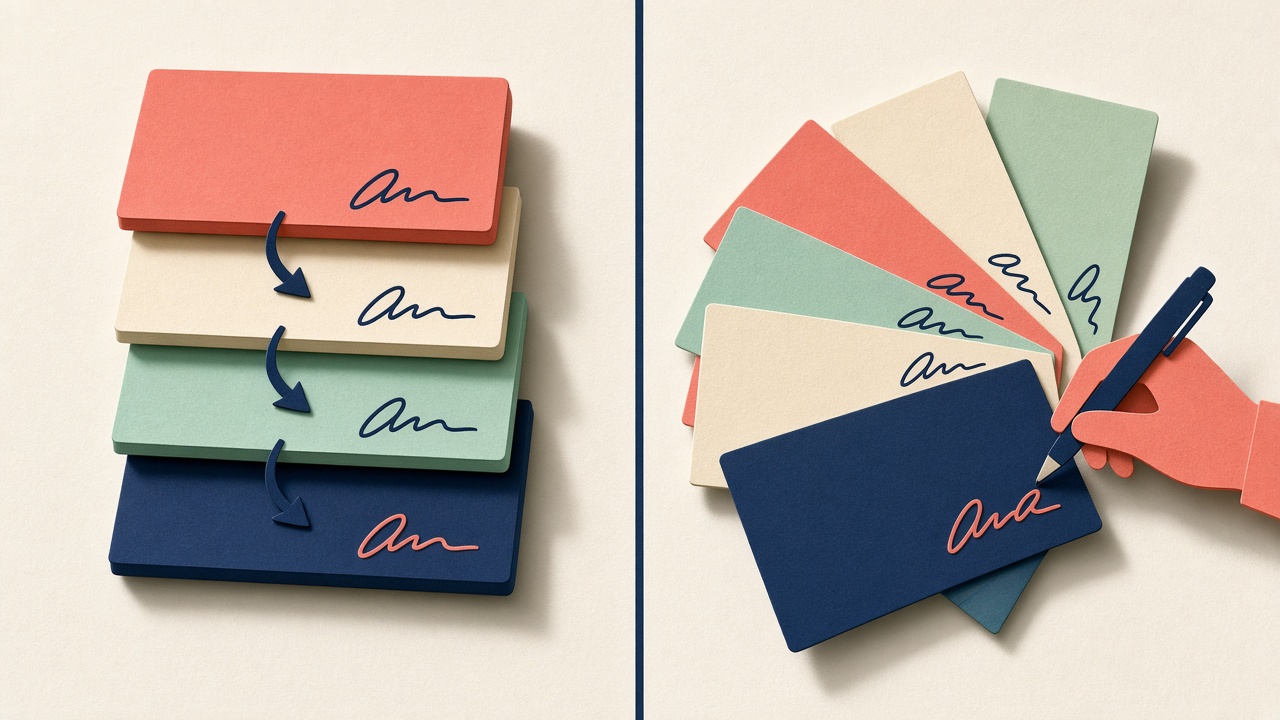
A signing order is the sequence in which people receive and sign a document. In DocSigner, as shown in our video, you can choose between everyone at once (parallel) or one after another (sequential).
What is parallel signing?
Parallel signing sends the document to every signer at the same time. Each person signs whenever they get to it, and the document is complete once the last one has signed.
| Pros | Cons |
|---|---|
| Usually the fastest overall | Signers may not see each other’s signatures when they sign |
| Nobody waits for anyone else | No built-in approval step before others sign |
| Simple to explain to signers | If someone asks for a change, others may already have signed the old version |
What is sequential signing?
Sequential signing sends the document to one person at a time, in the order you choose. The next person only gets it once the previous one has finished.
| Pros | Cons |
|---|---|
| Builds in approval and countersigning steps | One slow signer holds up everyone after them |
| Later signers can see that earlier people have committed | Usually takes longer overall |
| Changes tend to surface early, before most people have signed | You need to think about the order up front |
Which signing order should you use?
Use this table as a starting point. It reflects common business practice rather than any legal rule, so check anything unusual with an adviser:
| Situation | Suggested order | Why |
|---|---|---|
| You and one client, simple service agreement | Parallel | Order does not matter, so speed wins |
| Freelancer agreement you have already discussed in full | Parallel | Both sides know the terms |
| Agreement that needs your manager or finance approval first | Sequential: approver, then other party | Nothing goes out without sign-off |
| Other side wants to see your signature before theirs | Sequential: you, then them | Shows commitment and avoids a stand-off |
| You want the client committed before you countersign | Sequential: client, then you | You sign once you know they have |
| Several people on the same side, no dependencies | Parallel | No reason to make them queue |
💡 Tip: If you are unsure, ask the other side how they prefer to sign. A quick “Do you need us to sign first?” avoids a document sitting in someone’s inbox.
Who should sign first in a sequence?
Three simple rules help:
- Approvers before signers. Anyone who might block or change the document goes first
- The person most likely to ask for changes goes early. Then later signers only see the final version
- The busiest person goes where a delay hurts least. If they are slow, at least fewer people are waiting behind them
⚠️ Warning: If someone asks for a change after others have signed, do not just edit and resend. Treat it as a new version, make sure everyone signs the same final document, and keep the records together.
How do you set the signing order in DocSigner?
Based on what our video shows, the steps are:
- Finish and review the draft (see How to Check an AI-Drafted Agreement Before Anyone Signs It)
- Add each signer, using saved authorised signers and recipient companies where you can
- Place signature, initials, date and text fields for each person
- Choose parallel (everyone at once) or sequential (one after another), and set the order if sequential
- Send it, then use the tracking view to see where the document has stopped
🔎 Unconfirmed / rumour: Our video does not show whether you can mix the two, for example two people signing in parallel and then a third signing after them, or whether DocSigner sends automatic reminders. Check your account before planning around either.
How do you stop a signing order from stalling?
- Warn people it is coming. A short message before you send means it is less likely to be ignored
- Tell sequential signers where they are in the queue so they know others are waiting
- Remind people they can sign on a phone, which DocSigner supports as shown in the video
- Follow up with context. Use the tracking view to name exactly who and what is outstanding
- Keep the completion certificate once everyone has signed
Want the full picture? Read Scale.gg DocSigner: AI Document Drafting and E-Signatures in One App, and see our Starter Bonus Bundle for Scale.gg.
Frequently asked questions
Is parallel or sequential signing faster?
Parallel is usually faster because nobody waits for anyone else. Sequential is slower but builds in approval steps.
Does signing order affect whether a contract is valid?
Signing order is mainly a practical choice. If you are unsure whether order matters for a specific document, ask a qualified adviser.
Should I sign first or last?
Sign first if the other side needs to see your commitment; sign last if you want them committed before you countersign.
Can signers use a phone?
Yes. Our DocSigner video shows recipients reviewing and signing from a phone.
What if someone wants changes after others have signed?
Treat it as a new version and have everyone sign the same final document.
The bottom line
Pick your signing order by asking whether anyone needs to approve or see another signature first. If not, go parallel for speed. If they do, go sequential and put approvers and likely change-requesters early. Then tell people what to expect and follow up using the tracking status.
Related posts
- Scale.gg DocSigner: AI Document Drafting and E-Signatures in One App
- How to Check an AI-Drafted Agreement Before Anyone Signs It
- Scale.gg CalendarBug: Turn Your Booking Calendar Into a Sales Tool

[…] Only then place signature fields and choose your signing order (see Parallel vs Sequential Signing: How to Choose the Right Signing Order) […]
[…] Parallel vs Sequential Signing: How to Choose the Right Signing Order — when everyone should sign at once and when one person should sign after another. […]