

Affiliate disclosure: This post contains affiliate links. If you buy through them, Prodify Digital may earn a commission at no extra cost to you.
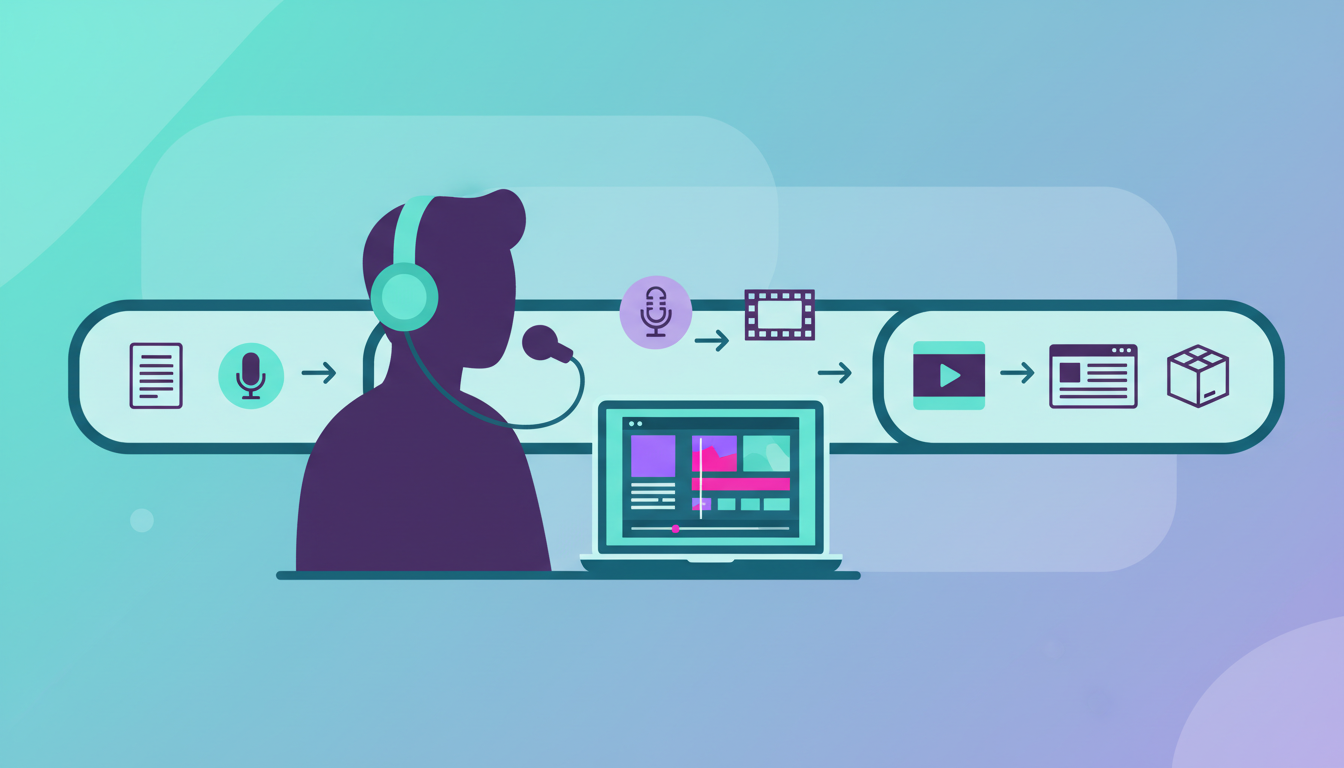
Short answer: The best faceless review video workflow for affiliates is: pick a launch, generate a script, record voice-over against product footage or b-roll, add captions, create a thumbnail, publish with a buyer-intent title, and send viewers to a bonus page with automatic delivery. You can do this with separate tools or with one all-in-one app.
Below we compare the two approaches. For our verdict on one all-in-one option, read the ReviewSuite360 review.
Why go faceless?
Faceless videos protect your privacy, remove camera nerves and let you work from anywhere. Viewers searching for a review mainly want to see the product, so footage of the product itself often carries the video perfectly well.
What does a faceless review workflow look like?
- Research: choose a product launching soon with genuine demand.
- Script: hook, problem, solution, demo, call to action.
- Voice-over: read your script, ideally with a teleprompter so it sounds natural.
- Visuals: screen recordings or b-roll from the product's own materials.
- Edit: cuts, pacing and captions.
- Thumbnail and images: bold, readable and consistent.
- Bonus page: extras matched to the product, with a clear payment or affiliate link.
- Delivery: buyers get their bonuses automatically.
Which tools do you need for each step?
Built from separate tools, you would typically need a script writer, a video editor, a teleprompter app, an image tool, a thumbnail tool, a page builder and a delivery system. The ReviewSuite360 sales page puts the cost of that stack at $247 to $639 a month, with separate logins and learning curves.
Separate tools vs an all-in-one app
- Separate tools: maximum flexibility, but more cost, more setup and more things to break.
- All-in-one: one login and a faster workflow, but you accept the app's templates and approach.
Want the full breakdown? Features, the $37 launch price, bonuses, pros and cons.
Read our ReviewSuite360 review »What does an all-in-one faceless tool offer?
As one example, ReviewSuite360 combines a script writer and teleprompter, in-app recording and editing, three filters (black eye bar, cartoon or generic face), fully faceless automatic b-roll, a thumbnail and image creator, a bonus generator with bonus pages, and automatic delivery. It runs in a browser on phone or laptop. The launch price is a one-off $37 with a 30-day money-back guarantee; see our review for pros and cons.
How do you keep faceless videos trustworthy?
- Show the real product interface, not just stock footage.
- Mention honest downsides.
- Disclose that you use affiliate links.
- Never promise income.
- Make sure your bonuses are delivered.
How do you choose products to review?
Look for launches with real buyer demand, a fair commission and a product you can demonstrate clearly on screen. Software and apps suit faceless videos especially well because the interface itself is the most useful footage. Plan ahead using launch calendars so your video is ready when the product goes live.
How important is timing?
Very. Buyer searches tend to surge in the first 24 to 48 hours of a launch. A faceless workflow that lets you build a video quickly means you can publish inside that window rather than two days later, when competing videos have already taken the top spots.
How should you write titles and descriptions?
Start the title with the product name followed by “review”, then add a short benefit or angle. In the description, explain who the video is for, place your link near the top and keep tags relevant. Your thumbnail should be bold and readable at small sizes, because it competes directly with every other result on the page.
Can you sell faceless videos as a service?
Yes, if your tool allows it. Some all-in-one apps include a commercial licence, so the same workflow can produce videos for local businesses and clients as well as for your own affiliate channel.
How do you record a natural voice-over?
Voice is the main thing viewers connect with in a faceless video, so it is worth getting right. Record in a quiet, soft-furnished room, keep the microphone at a consistent distance and speak a little slower than feels natural. A teleprompter that scrolls your script on screen means you can sound conversational without memorising lines or reading stiffly from notes. ReviewSuite360, for example, loads its generated script straight into a built-in teleprompter.
Where does faceless b-roll come from?
The most convincing footage is the product itself. Screen recordings of the dashboard, the product's own promo materials and demo clips show viewers exactly what they are buying. Some tools automate this step: the ReviewSuite360 sales page says its b-roll is pulled from the product's own source materials and layered into the video automatically. Avoid generic stock footage where you can, because it adds little for a buyer who wants to see the real interface.
Which faceless styles are there?
- Pure screen recording with voice-over: the classic software review format.
- B-roll led: product footage and visuals with narration on top.
- Filtered on-camera: you appear, but anonymised. ReviewSuite360 offers a black bar across the eyes, a cartoon character, or a clean generic male or female face.
- Mixed: a short filtered intro, then the screen demo.
Pick one style and stay consistent for a while, so your channel feels recognisable even without a face.
What should a faceless bonus page include?
- A headline naming the product and that bonuses are included.
- A short summary of the product and who it suits.
- Each bonus with a one-line explanation of how it helps with that specific product.
- A clear button to buy through your link.
- Instructions on how bonuses are delivered.
Matching the bonuses to the product matters more than piling up quantity. An extra that helps the buyer get faster results with what they just bought is far more persuasive than a pile of unrelated downloads.
A sample faceless production schedule
- One week before launch: choose the product, get your link and review access.
- Three days before: script, voice-over and demo footage.
- Two days before: edit, captions, thumbnail and bonus page.
- Launch day: publish early, then check your links and page work.
- The week after: track clicks and sales, and note what to improve.
What are the most common faceless mistakes?
- Muffled or echoing audio that makes viewers leave.
- Using only stock footage, so the viewer never sees the product.
- Thumbnails crowded with small text.
- Forgetting the affiliate disclosure.
- Publishing after the launch window has passed.
Frequently asked questions
Do faceless review videos earn as much as on-camera ones?
They can. Buyers searching for a review mainly want to see the product working, so a clear screen demo with good narration often performs just as well. Results depend on the product, timing and quality, not on whether your face appears.
Do I need special equipment?
No. A phone or laptop is enough to start. A modest microphone is the single most worthwhile upgrade, because audio quality has a big effect on whether viewers keep watching.
Can I use AI voices?
You can, but a real voice usually builds more trust in a review. If you do use one, keep it natural and still disclose your affiliate relationship clearly.
How many videos should I make before judging results?
Give yourself a fair test of several launches before drawing conclusions. One video tells you very little; a small library shows you which kinds of products and titles work for you.
Is ReviewSuite360 required for this workflow?
No. You can follow every step with separate tools. An all-in-one app simply combines them; our review explains the trade-offs so you can decide.
Can I use the same workflow for client work?
Yes, if your tools allow commercial use. The ReviewSuite360 sales page lists a commercial licence, meaning videos can be made for clients as well as your own channel.
Faceless workflow checklist
- Product chosen with real launch demand and a fair commission.
- Script follows Hook, Problem, Solution, Demo, Call to action.
- Voice-over recorded clearly in a quiet room.
- Real product footage, not just stock clips.
- Captions added and checked for errors.
- Thumbnail readable at small sizes.
- Title starts with the product name and “review”.
- Disclosure in the video and description.
- Bonus page live and tested on mobile.
- Bonus delivery tested with a dummy purchase where possible.
Which workflow should you choose?
If you already own editing and page-building tools and enjoy tinkering, a separate-tools setup can work. If the setup is what keeps stopping you from publishing, an all-in-one app removes most of that friction. Either way, consistency and honest reviews matter more than the tools.
Want the full breakdown? Features, the $37 launch price, bonuses, pros and cons.
Read our ReviewSuite360 review »
[…] you are creating review or tutorial videos to feed this kind of page, our faceless review video workflow is a good place to […]