

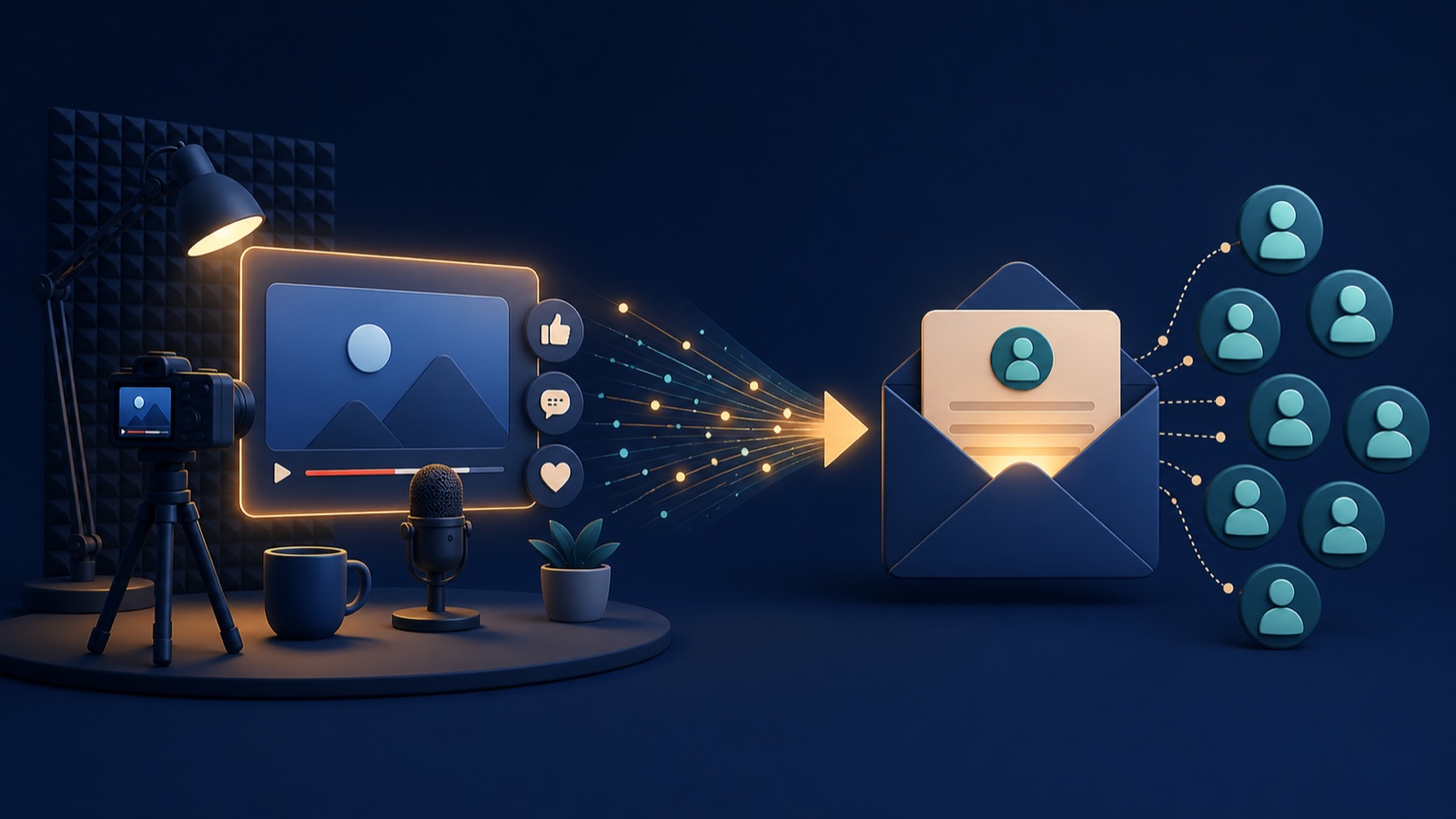
Small YouTube channels can build an email list by giving viewers a useful next step that continues the exact problem addressed in a video. You do not need thousands of subscribers or viral reach. You need a relevant free resource, a focused signup page, a clear invitation inside the video and a welcome email that delivers what was promised. This guide is for creators with modest audiences who want to turn occasional views into a dependable audience they can contact directly. By the end, you will have a practical YouTube-to-email system that can work one useful video at a time.
If you are starting without an email platform, landing page or welcome sequence, begin with our broader guide to building an email list from zero in 2026. This article focuses specifically on making YouTube the discovery channel for that system.

Why a Small YouTube Channel Can Still Build a Valuable Email List
A small channel has fewer viewers, but that does not automatically mean it has weak list-building potential. A focused channel may attract people with a specific problem, and specific problems make it easier to offer a relevant next step. One hundred viewers who all want to solve the same problem can be more useful than thousands of casual viewers who have little reason to continue beyond the video.
The common mistake is treating email signup as a general request: “Join my newsletter.” That asks the viewer to imagine an unclear future benefit. A stronger invitation connects the signup to the video they are already watching. A budgeting tutorial might offer a one-page monthly budget template. A photography video might offer the shot checklist used in the lesson. A software tutorial might provide the setup checklist that prevents viewers from missing a step.
This creates a simple relationship. YouTube supplies discovery and trust; the email list supplies continuity. The viewer does not subscribe because the channel is large. The viewer subscribes because the next resource is timely, specific and useful.
The YouTube-to-Email System in One Sentence
A YouTube-to-email system matches one video problem with one useful resource, sends the interested viewer to one focused signup page, and begins an email conversation that continues the same subject.
Each part needs to agree with the others. If the video teaches thumbnail design but the signup page offers a broad marketing newsletter, the journey feels disconnected. If the free resource is relevant but the first email immediately changes the subject, the subscriber may wonder why they joined. The system works when the promise stays consistent from the video to the inbox.

Start With the Viewer Problem, Not the Lead Magnet
Creators often make a generic ebook first and then try to mention it in every video. That reverses the useful order. Begin with a video topic that solves a recognisable problem, then identify the small piece of the task that a downloadable or emailed resource could make easier.
Ask what the viewer is likely to do immediately after watching. Will they need to remember several steps, compare options, calculate something, prepare a script or follow a repeatable process? The best resource removes friction from that next action.
For example, imagine a small channel publishing a video titled “How to Plan Your First Four YouTube Videos.” The video can explain how to choose a narrow audience problem, group four related questions and plan a simple sequence. The natural continuation is not a generic creator newsletter. It is a four-video planning worksheet that helps the viewer apply the method while the lesson is still fresh.
This is also why a lead magnet should match the reader’s immediate problem. Relevance reduces the amount of persuasion required. The resource feels like part of the lesson rather than an unrelated promotion.
For a YouTube-specific selection method, compare formats using the guide to the best lead magnets for small YouTube channels in 2026.
Choose a Resource a Small Channel Can Maintain
A useful resource does not need to be long or expensive to produce. In fact, a concise asset is often easier for the viewer to understand and use. The format should fit the task introduced in the video.
A checklist works when the viewer must remember a sequence. A template works when they need a starting structure. A worksheet works when they must make decisions. A short reference guide works when they need key information beside them. An email mini-series works when the lesson needs several days of guided practice.
The important limitation is maintenance. Do not create a resource filled with screenshots, prices or platform settings unless you can keep it accurate. A small channel benefits from simple assets that remain useful across several related videos. One well-designed worksheet may support an entire topic series if each video leads to a different section of the same process.
Build a Signup Page With One Clear Decision
The signup page should confirm that the viewer reached the right place. Repeat the practical outcome, show what the resource contains and explain what will happen after the form is submitted. Remove navigation, competing offers and unrelated explanations when they distract from that single decision.
A simple page needs a specific headline, a brief explanation, an email field, a clear submit button and an accurate privacy statement. If the subscriber will also receive ongoing emails, say so plainly rather than hiding that expectation. Use your email provider’s consent and unsubscribe features, and follow the rules that apply to your audience and location.
Mobile readability matters because many YouTube viewers will open the link on a phone. The form should be easy to complete without zooming, the button should be easy to tap and the page should load without an oversized background video. Our guide to turning website visitors into email subscribers explains the wider landing-page and message-matching principles behind this step.
Place the Email Invitation Where Viewers Can Act
The strongest invitation usually appears after the video has delivered enough value for the viewer to understand why the resource helps. Mention it naturally at the moment the next action becomes obvious. A creator explaining a five-step process might introduce the checklist after showing the complete process, then briefly remind the viewer near the end.
Keep the spoken invitation concrete. State what the resource is, who it helps and where to find it. Avoid vague commands such as “check the links below” when the description contains several destinations. A clear version might say: “If you want to plan your first four videos using this method, the worksheet is linked at the top of the description.”
The five-part guide to writing a YouTube email-list call to action explains how to combine context, resource, outcome, link location and honest email expectations.
YouTube currently allows clickable channel profile links and links in long-form video descriptions and comments, although clickable external links in some locations require access to advanced features. URLs in Shorts descriptions and Shorts comments are not clickable. Check the current YouTube guidance on sharing links with your audience before designing the path, especially if Shorts are central to your channel.
For a Short, the practical path may need to point viewers toward a related long-form video or a memorable channel-profile destination rather than expecting a description URL to behave like a long-form link. The written and spoken instruction should match the actual interface the viewer sees.
For a current placement-by-placement setup, including descriptions, pinned comments, profile links, Shorts and live streams, use the guide to where to put email signup links on YouTube in 2026.
Write a Welcome Email That Continues the Video
The first email should deliver the promised resource immediately and confirm why the subscriber is receiving it. Use a recognisable sender name and a subject line that describes the resource. The opening can mention the video topic so the message feels connected to the action the viewer just took.
After delivering the resource, explain what kind of useful emails may follow and how often the subscriber should expect them. Do not overload the first message with several unrelated links. The subscriber has taken one small step; the welcome email should make that step feel worthwhile.
A short sequence can then help the subscriber apply the resource. The second email might explain the most common mistake. The third might show a practical example. The fourth might answer a question viewers frequently ask. This turns the lead magnet into the beginning of a useful relationship instead of a file-delivery transaction.
Tag Subscribers by the Video or Topic That Attracted Them
Source tracking helps a small channel learn before it has large numbers. Use a separate signup-page URL, form, tag or campaign parameter for each important video or topic group. The purpose is not to create a complicated analytics system. It is to answer a practical question: which viewer problems create enough interest for people to continue by email?
Topic-level tagging is often sufficient. If five videos teach beginner photography, they can all apply a “beginner photography” tag. The welcome emails can then use relevant examples without pretending to know more about the subscriber than the form actually collected.
Keep the data limited to what improves the subscriber experience. Do not request several personal details simply because the form supports extra fields. An email address and an honest source tag are usually enough to begin.
Measure the Path Instead of Chasing Subscriber Count
A small channel should measure the steps it can improve. Total channel subscribers and total email subscribers are slow, cumulative figures. The useful diagnostic is the path between a relevant view and a confirmed signup.
Track how many people view the video, how many open the signup page, how many complete the form and whether the welcome email is delivered. If viewers rarely open the page, the offer or invitation may be weak. If they reach the page but do not subscribe, the page may not match the video promise. If they subscribe but ignore later emails, the welcome sequence may have changed the subject too quickly.
The guide to tracking email subscribers from YouTube explains how to label traffic consistently and diagnose each transition without treating clicks as completed subscriptions.
Do not compare unrelated videos only by raw signups. A video with fewer views may produce more subscribers per relevant viewer because its problem is more specific. Treat the numbers as directional evidence, not as proof that every viewer behaves the same way.
A Practical Example for a Channel With 300 Subscribers
Consider a home-gardening channel with 300 YouTube subscribers. Its creator publishes a video explaining why basil seedlings become weak indoors. The lesson covers light distance, watering and airflow. At the point where viewers need to adjust their setup, the creator offers a one-page seedling troubleshooting checklist.
The description links to a mobile-friendly page titled “Diagnose Weak Seedlings Before You Replant.” The form requests an email address and explains that the checklist and occasional indoor-growing lessons will arrive by email. The welcome message delivers the checklist, references the basil video and explains the first adjustment to test.
Two later emails cover watering mistakes and light placement. The subscriber tag records “indoor seedlings,” allowing future emails to stay relevant. None of this depends on a large channel. It depends on a clear problem, a useful continuation and consistent delivery.
Common Mistakes That Break the YouTube-to-Email Journey
The first mistake is offering the same broad resource under every video. The second is interrupting the lesson with an invitation before the viewer understands its value. The third is sending people to a crowded homepage instead of a focused signup page. The fourth is delivering the resource late or changing the subject in the welcome email.
Creators also weaken trust when the form’s promise is unclear. Explain whether the viewer is receiving one resource, an ongoing newsletter or both. Never buy addresses, add commenters to a list without permission or disguise a promotional list as a simple download.
Finally, avoid building more automation than the channel can support. One working resource, one page and one welcome sequence provide more learning than five unfinished funnels. The wider guide to avoiding costly email-list mistakes can help you check the foundation before adding more traffic sources.
A Simple Publishing Routine for Every Relevant Video
Before recording, define the viewer problem and the useful next action. During the video, teach the complete core answer so the resource remains optional rather than holding essential information hostage. After the main explanation, introduce the resource in one clear sentence. Add the correct link to the description, test it on mobile and confirm that the welcome email arrives.
After publication, review the path rather than changing everything at once. If the video attracts the right viewers but few visit the page, test the wording or placement of the invitation. If the page receives visits but few signups, improve the message match. If subscribers join but disengage, strengthen the welcome sequence and ensure later emails stay close to the original topic.
As the list grows, focus on relevance rather than size alone. A smaller email list built around clear interests can be easier to serve than a larger list formed through disconnected giveaways.
Reader Q&A
Can a small YouTube channel build an email list?
Yes. A small channel can build an email list when its videos solve specific problems and offer closely matched resources. List growth depends on relevance, message consistency and a working signup path, not only on the channel’s subscriber count.
What should a YouTuber offer in exchange for an email address?
Offer a resource that makes the video’s next action easier, such as a checklist, template, worksheet, reference guide or short email lesson. The format matters less than its direct connection to the problem the viewer is already trying to solve.
Where should an email signup link go on YouTube?
For long-form videos, place the focused signup-page URL prominently in the description and refer to it clearly inside the video. A channel profile link can provide another route. YouTube says URLs in Shorts descriptions and comments are not clickable, so Shorts may need a different path.
When should a creator mention the lead magnet in a video?
Mention it after the viewer has received enough of the lesson to understand why the resource is useful. Introduce it at the natural next-action point, then use a brief reminder near the end if that helps without disrupting the video.
Do I need a website to collect email subscribers from YouTube?
You need a reliable signup page, but it does not have to be a large website. Many email service providers can host a focused landing page and form. The page must clearly explain the resource, consent and what emails the subscriber should expect.
How should a small channel measure email-list growth?
Track relevant video views, signup-page visits, completed subscriptions and welcome-email delivery. These steps reveal where the path is weakening. Compare videos by topic and message match rather than judging success only by total signups.
How many lead magnets does a small YouTube channel need?
Start with one resource that matches a central topic and works across several related videos. Add another only when a distinct viewer problem cannot be served well by the existing resource. A small number of maintained assets is better than many outdated funnels.
Continue Building the Email-List Cluster
This YouTube strategy is one acquisition path inside a wider email-list system. Use the email-list foundation guide to connect your platform, signup process and welcome sequence. Then refine your lead magnet’s problem-to-resource match, improve how landing-page visitors become subscribers, and strengthen the quality of the relationship with the guide to growing an email list that converts.

[…] a focused traffic source when each useful video offers a closely matched next step. The guide to building an email list from a small YouTube channel explains how to connect the viewer problem, lead magnet, signup page and welcome email without […]
[…] is the placement-focused companion to our guide on how small YouTube channels can build an email list. If you still need the email platform, form and welcome-email foundation, start with How to Build […]
[…] article develops the offer-building step inside our guide to building an email list with a small YouTube channel. For the complete email platform, consent and welcome-sequence foundation, use How to Build an […]
[…] stage of the mapped YouTube email-list cluster. Begin with the complete small-channel YouTube email system if the signup path is not yet working. The wider pillar explains how to build an email list from […]
[…] stage in the mapped YouTube email-list cluster. If you need the full system first, read How Small YouTube Channels Can Build an Email List. The broader pillar explains how to build an email list from zero in […]