

Quick answer
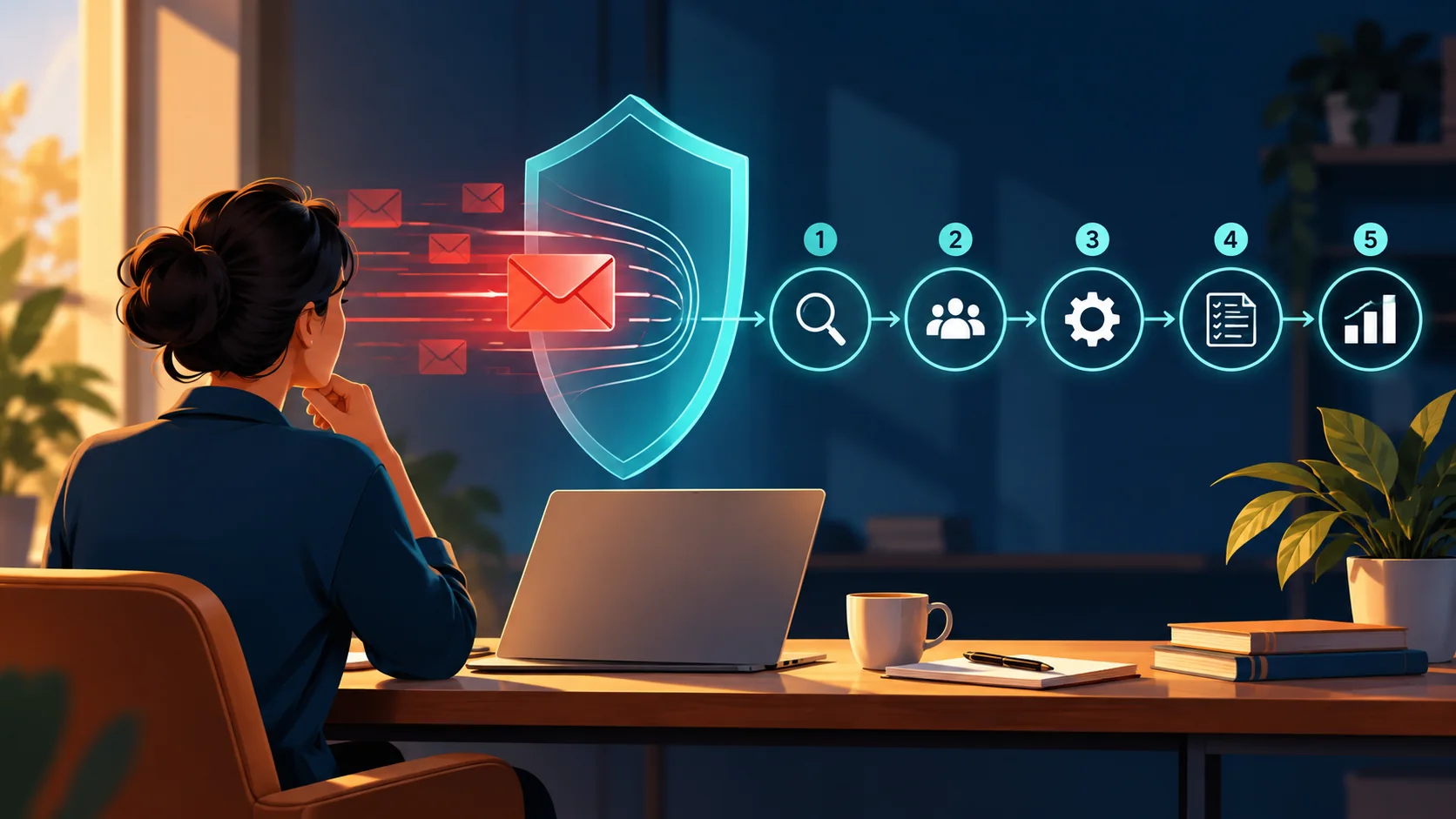
An email incident response plan should help you do five things in order: stop any further sends, preserve the facts, judge the likely harm, choose the smallest useful correction, and record what will prevent a repeat. A typo rarely needs the same response as exposed personal data. The plan below gives a small business a calm way to tell the difference.
Key takeaways
- Contain first: pause scheduled campaigns, broadcasts and relevant automations before investigating at length.
- Classify the incident by reader harm and data risk, not by how embarrassing the mistake feels.
- Do not send a correction automatically. Send one only when it helps the recipient make a better or safer decision.
- Start a timestamped incident record immediately. Privacy breaches may trigger strict reporting duties.
- End every incident with one concrete control change, an owner and a review date.
In this guide
- What counts as an email incident?
- What should you do in the first 15 minutes?
- How serious is the incident?
- Should you send a correction email?
- When should privacy or security specialists get involved?
- What does a sensible response look like?
- What should your incident record contain?
- How do you stop the same mistake happening again?
A bad email send creates an awkward kind of pressure. The obvious mistake is already in thousands of inboxes, colleagues want an explanation, and every minute can feel expensive. That is exactly when teams are most likely to make the incident worse by rushing out a second message, deleting useful evidence or changing several systems at once.
A short, written response plan replaces that scramble with a sequence. It tells you who takes control, what to pause, what facts to capture and when the issue needs specialist help. If your wider programme still needs structure, start with our complete email marketing guide. Then use this page as the playbook for the moment something has already gone wrong.
What counts as an email incident?
An email incident is any send, automation or data event that could mislead recipients, interrupt the customer journey, expose information or damage trust. It includes obvious failures such as sending to the wrong audience, but also quieter problems such as a broken checkout link, an expired offer, an automation that keeps sending after a complaint, or personal data appearing in the wrong message.
Not every incident is a personal data breach. A misspelled headline may be a brand-quality problem. An incorrect price may create commercial and customer-service consequences. A message containing another customer's details may be a privacy breach as well as an email error. Your first job is to identify which kind of problem you have, because that determines who must act and how quickly.
Prevention still matters. A disciplined pre-send email QA checklist catches many avoidable errors before launch. Incident response covers the different question: what do you do after the send has started or the automation is live?
What should you do in the first 15 minutes?
Move quickly, but make each action reversible where possible. Use one incident lead so that two people do not send competing corrections or overwrite the same evidence.
1. Stop the spread
Pause any scheduled campaign, resend or connected automation that could repeat the problem. Check the platform's exact behaviour before relying on the word “paused”. For example, Brevo explains that pausing an automation stops new contacts entering while contacts already inside can continue; making it inactive removes active contacts. Mailchimp says a scheduled campaign should be paused at least five minutes before its send time, while its Delivery Insights guidance says some Premium accounts can stop delivery on eligible campaigns that are still sending. A fully sent campaign cannot be recalled.
2. Preserve the facts
Record the discovery time, campaign or automation ID, audience, send count, message version and the person who noticed the problem. Save a copy of the sent message and relevant screenshots. Do not edit the live automation until you have captured its current state. Your email automation change log should show what changed next and why.
3. Confirm the actual impact
Separate what you know from what you suspect. Was the email delivered or merely queued? How many recipients received it? Which link or data field was wrong? Could someone lose money, expose an account, miss a deadline or reveal private information because of it? Facts decide the response; embarrassment does not.
4. Assign a severity
Use the table below. If you are uncertain between two levels, begin with the higher one until the facts reduce the risk. You can step down later. It is much harder to recover time lost during a serious privacy or security incident.
5. Choose one owner and the next checkpoint
Name the person who can approve containment and customer communication. Set the next decision time—perhaps 15 or 30 minutes away—rather than keeping everyone in a constant stream of messages. This creates a useful rhythm: facts, decision, action, review.
How serious is the incident?
| Level | Typical example | Immediate action | Likely communication |
|---|---|---|---|
| 1 — Minor | Typo or cosmetic issue that does not change meaning | Log it; fix the template before reuse | Usually none |
| 2 — Material | Broken primary link, incorrect date or misleading detail | Pause follow-ups; repair the destination where possible | Targeted correction if readers need it |
| 3 — High | Wrong segment, harmful claim, account or payment risk | Contain, escalate, assess affected people | Prompt, clear guidance to affected recipients |
| 4 — Critical | Exposed personal data, credentials or serious security risk | Activate privacy/security response and preserve evidence | Regulatory and individual notice may be required |

The levels are an operating tool, not a legal classification. Your industry, contracts and location may add duties. Use the highest credible impact, the sensitivity of any data involved and the number of people affected when making the first decision.
Should you send a correction email?
Send a correction when the original message could cause a recipient to make the wrong decision, lose access, miss a deadline, spend money incorrectly or remain exposed to harm. Skip it when the correction would merely draw attention to a harmless cosmetic error.
Before sending, ask four questions:
- Does the recipient need new information or an action?
- Can we fix the landing page, coupon or destination without another email?
- Should the correction go to everyone, or only people who received, opened or clicked the affected message?
- Could another send increase confusion, complaints or privacy risk?
A useful correction is short and specific. Put the corrected fact in the subject line or first sentence. Say what happened without defensive detail, explain what the recipient should do, and give one reliable contact route. Avoid turning the message into a promotion. The reader's need comes first.
Correction pattern
“We sent you an email with the wrong workshop date. The correct date is Thursday 22 October at 2 pm. Your registration is still valid and no action is needed. We have updated the event page. If this creates a problem, reply to this email and we will help.”
When should privacy or security specialists get involved?
Escalate immediately when an email exposes personal data, credentials, confidential documents, payment information or a route into someone's account. Also escalate when you cannot tell what data was disclosed or who received it. Do not wait for complete certainty before involving the person responsible for privacy or security.
For UK organisations, the Information Commissioner's Office guidance says certain personal data breaches must be reported within 72 hours of becoming aware of them, where feasible. A high risk to people's rights and freedoms can also require telling affected individuals without undue delay. The ICO says organisations should record every personal data breach, including the facts, effects and remedial action, even when it is not reportable.
The threshold depends on likely harm, not simply whether an email contained a name or address. Use the ICO's risk-assessment guidance and its 72-hour guide for small organisations. If your organisation operates elsewhere, or the incident involves people in other jurisdictions, check the relevant regulator and take professional advice. This page provides an operational framework, not a legal decision for a specific breach.
The UK's National Cyber Security Centre also recommends defining contacts, escalation criteria, decision flows, checklists and post-incident review in advance. Add those details to your own plan while the business is calm.
What does a sensible response look like?
Imagine a small training company sends a campaign to 4,200 subscribers. The primary button points to last month's registration page, which shows the wrong date. After 12 minutes, the team notices 63 clicks and no purchases.
The incident lead pauses the scheduled non-opener resend and the follow-up automation. They save the campaign ID, send count and screenshots, then ask the web owner to redirect the old page to a corrected page. Because the original message could cause people to register for the wrong session, the team marks it Level 2 rather than treating it as a cosmetic problem.
The redirect fixes the experience for future clicks. The team sends a concise correction only to recipients who clicked before the redirect went live. It then monitors replies, complaints, registration errors and the redirect for 48 hours. The post-incident review finds that the email used a duplicated block containing an old URL, so the team removes date-specific links from reusable modules and adds a destination-page check to the QA checklist.
This response is proportionate. It limits another broadcast, helps the affected readers and fixes the process that allowed the error through.
What should your incident record contain?
Keep the record factual and timestamped. It should let someone who was not present understand what happened, what the business knew at each decision point and why it chose its response.
Incident ID:
Discovered at (date, time, timezone):
Discovered by:
Campaign, broadcast or automation ID:
What happened:
Known audience and delivery count:
Data or customer risk:
Severity level and reason:
Containment actions and timestamps:
People and suppliers contacted:
Correction or notice decision:
Monitoring period and signals:
Root cause:
Preventive change, owner and due date:
Final review date:
Link the record to the campaign, screenshots, exports and relevant change-log entries. Keep access limited when it contains personal or security information. Retention should follow your legal, contractual and information-governance requirements.
Can AI help prepare the first incident summary?
AI can organise known facts, identify unanswered questions and produce a draft internal brief. It should not decide whether a breach is legally reportable, and you should not paste personal, confidential or credential data into a tool that is not approved for it.
You are helping organise an email incident record.

Use only the facts below. Do not guess, assign blame or make a legal conclusion.

Return:
1. a timestamped fact summary;
2. confirmed impact versus unknowns;
3. immediate containment checks;
4. questions for the incident owner;
5. a plain-language internal update.

Incident facts:
[Paste a de-identified summary here]
Review every line against the original evidence. Remove invented details and keep the approved incident owner responsible for the final wording and action.
What should you monitor after containment?
Choose signals that match the incident. A broken link calls for destination tests and support replies. An incorrect offer calls for orders, refunds and complaints. A deliverability event calls for bounces, blocks and reputation signals. A privacy incident may require monitoring misuse risk and the effectiveness of protective measures.
- Delivery, bounce and suppression changes
- Clicks to affected and corrected destinations
- Replies, complaints and unsubscribe patterns
- Orders, refunds, registrations or account events
- Help-desk volume and repeated questions
- Completion of promised corrective actions
Set an explicit end point for monitoring. The incident stays open until the team has verified the correction, completed any required notifications, closed customer cases and assigned the preventive change.
How do you stop the same mistake happening again?
A useful review asks why the system allowed the mistake to reach recipients. “Someone was careless” is rarely enough. Look for ambiguous ownership, reusable blocks that hide old links, poor naming, weak permissions, missing test data, rushed approvals or a platform setting nobody understood.
Choose the smallest control that meaningfully reduces recurrence:
- Add a named incident owner and backup to the response plan.
- Require a live destination check immediately before scheduling.
- Use a seed list covering the main devices and account states.
- Remove dates, prices and URLs from reusable blocks where practical.
- Limit who can publish, edit audiences and change automations.
- Run a regular email automation health check to catch quiet failures.
- Review one recent incident or near miss during team training.
Give each action an owner and due date. Then test it. A policy that has never been rehearsed is still an assumption.
Reader questions
Can I recall an email after it has been sent?
Usually not. Some platforms can stop the remaining delivery while a large campaign is still sending, but a delivered email cannot normally be removed from recipients' inboxes. Contain follow-up activity and decide whether a targeted correction will help.
Should every email mistake get a correction?
No. Correct errors that change a decision, action, price, date, access route or safety outcome. A second email about a harmless typo may create more confusion than value.
Who should own an email incident?
Name one incident lead with authority to pause sends and coordinate decisions. Marketing, customer support, web, privacy, security and leadership can contribute, but one person should maintain the timeline and next checkpoint.
When is an email error a personal data breach?
It may be a personal data breach when a security failure leads to personal data being lost, changed, unavailable, disclosed or accessed without authority. Assess the facts and likely harm promptly, and involve your privacy lead or qualified adviser when uncertain.
How long should an incident stay open?
Keep it open until containment is verified, customer or regulatory actions are complete, monitoring has reached its defined end point and the preventive change has an owner and due date.
What should a small business prepare before an incident?
Prepare an owner and backup, supplier contacts, pause instructions, severity levels, a record template, privacy and security escalation routes, and pre-approved correction principles. Review the plan whenever platforms or responsibilities change.
The bottom line
A good email incident response plan does not promise perfection. It gives a small team a reliable sequence when judgement is under pressure: stop the spread, preserve the facts, assess harm, communicate only when useful, and fix the process that failed. Write the plan now, rehearse it with a low-risk scenario and keep the pause instructions where the people on duty can find them.
Related posts
- Build a Pre-Send Email QA Checklist That Catches Expensive Mistakes
- Create an Email Automation Health Check Before Journeys Quietly Break
- Build an Email Automation Change Log That Protects Every Update
