

Quick answer
Yes, you can build a playable browser game with Claude Fable 5.2, as long as you pair it with tools that make the art, sound and video. In a sponsored video, WorldofAI connected the Higgsfield MCP to Claude and, in one chat, got a neon racing game called HYPERLUME: key art, three.js game code, music written in code, a 3D ship, announcer voice lines, online hosting and a 15-second trailer. Claude planned, coded and tested; Higgsfield generated the media. It is an impressive demo, but it is also an advert, so treat the results as the creator’s showcase and start with a small project of your own.
Key takeaways
- One chat, two jobs: Claude Fable 5.2 did the planning, code and testing; Higgsfield’s tools made the images, voices, 3D model and trailer.
- It is not instant. The first build ran on its own for about an hour, then needed a second round of feedback.
- Testing was built in. Claude ran a test bot that reportedly passed 50 of 50 checks in round one and 66 of 66 in round two.
- Credits add up. The key art alone used 2.75 Higgsfield credits; the creator did not give a total for the whole project.
- The video is sponsored by Higgsfield, so read the plan recommendations and sale messages as sponsor content.
In this guide
- What did WorldofAI actually build?
- What did Claude do, and what did Higgsfield do?
- How does the one-chat workflow work, step by step?
- What did it cost, and how long did it take?
- What is shown, and what is still a claim?
- Is this useful if you do not make games?
- How can you try a smaller version safely?
- Watch: the source video
- Frequently asked questions
- The bottom line
- Related posts
Claude Fable 5.2 has already been reviewed, compared and stress-tested on this blog. If you want to know how good the model is in general, start with our Claude Fable 5.2 Review: Is It Really the World’s Best AI Model?. This article looks at something narrower and more practical: what happens when you build a game with Claude Fable 5.2 and give it outside creative tools through an MCP connector.
The source is a short walkthrough from WorldofAI (@intheworldofai), “Claude Fable 5.2 Can Now Build INSANE Games!”, published on 14 November 2026. The whole video is sponsored by Higgsfield, an AI image, video and audio platform, and it doubles as a tutorial for Higgsfield’s MCP.
What did WorldofAI actually build?
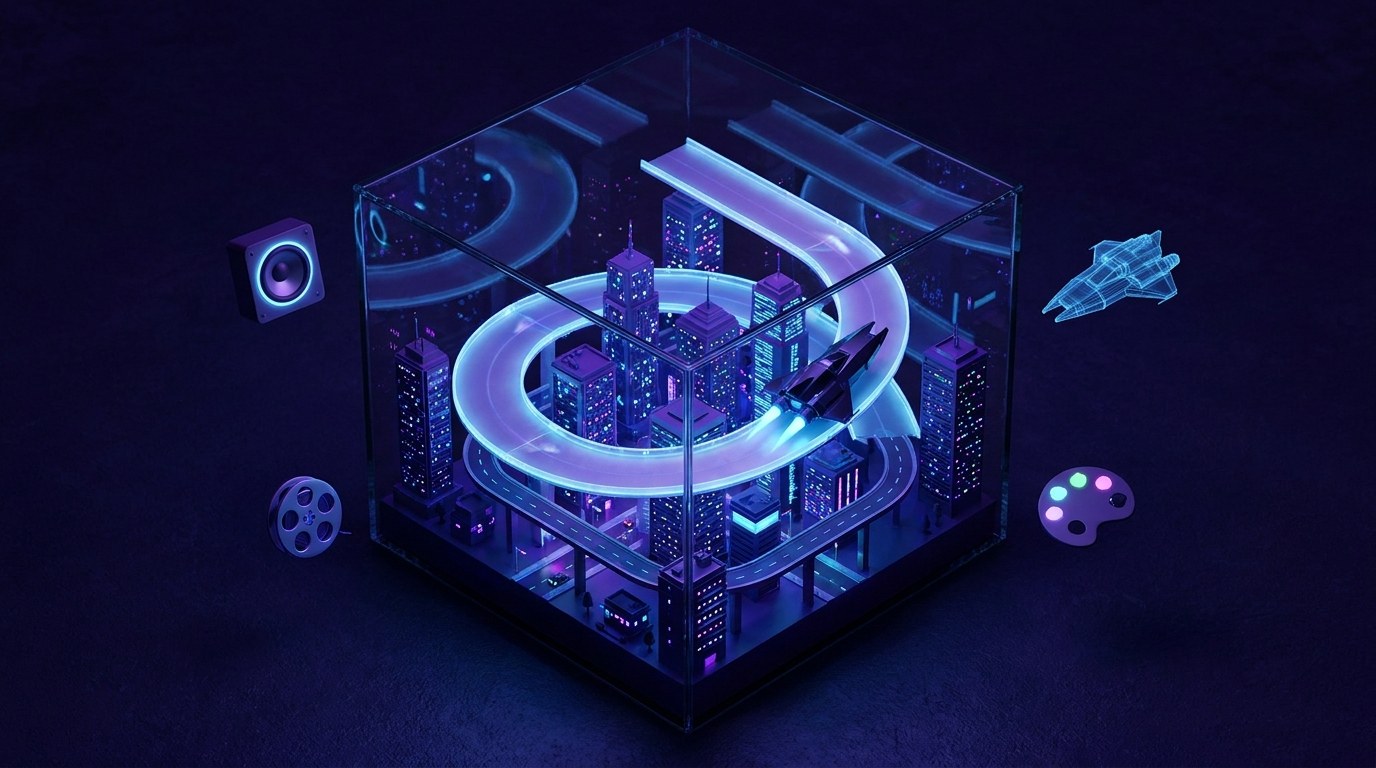
A browser racing game called HYPERLUME. You fly an anti-gravity ship around a closed circuit through a neon city at night, against five AI rivals over three laps. The track has long straights, a banked spiral, a tunnel and a jump, plus boost pads and drifting.
By the end of the video the game had:
- a title screen using the original key art;
- a mini-map, lap times and a boost meter;
- a synth soundtrack and sound effects written entirely in code, with no audio files;
- a 3D model of the ship from the key art;
- an announcer counting you in (“three, two, one, go”);
- an “attract mode” where the AI takes over if nobody touches the controls;
- a 15-second launch trailer made with Seedance 2.5;
- hosting online, so it can be played in a browser.
The creator says he did not write a single line of code. His role was to describe what he wanted, approve tool requests, play the game and give notes.
What did Claude do, and what did Higgsfield do?
Claude was the planner, programmer and tester. Higgsfield was the art, audio and video department. The video’s description lists the split, and it is the most useful idea in the whole demo:
| Job | Done by | How |
|---|---|---|
| Plan the project | Claude Fable 5.2 | A seven-step plan shown in the chat: track and city, ships and rivals, sound, controls, testing, publishing |
| Game code | Claude Fable 5.2 | Written in three.js, a popular JavaScript library for 3D graphics in the browser |
| Music and sound effects | Claude Fable 5.2 | Generated in code rather than using audio files |
| Testing | Claude Fable 5.2 | A test bot that drove three laps on keyboard, gamepad and touch |
| Key art | Higgsfield | One 16:9 image used as the visual target for everything else |
| Clean ship views and 3D model | Higgsfield | The key art was too rainy to convert, so clean views were drawn first |
| Announcer voice lines | Higgsfield | Six short voice lines, according to the description |
| Launch trailer | Higgsfield (Seedance 2.5) | A 15-second 16:9 clip made from the key art, with sound |
| Hosting | Higgsfield | The finished game was put online on Higgsfield |
MCP (Model Context Protocol) is the plumbing that makes this possible. It is an open standard that lets an AI assistant use outside tools, such as an image generator, through a “connector”. Once connected, Claude asks permission and then calls those tools in the middle of a chat. Higgsfield says its MCP gives Claude access to more than 35 image, video and audio models.
💡 Tip: You do not need Higgsfield specifically to use this pattern. Any service with an MCP connector can play the same role. Our guide How to Add a Custom MCP Connector to Claude Safely walks through the set-up and the safety checks.
How does the one-chat workflow work, step by step?
The build followed four rounds, each with one clear brief. This is the part worth copying, whatever you are making.
1. Set up the connector
The creator signed up for Higgsfield, then in Claude went to Customize → Connectors → + → Add custom connector, named it, pasted the MCP server address and signed in with his Higgsfield account. No API key was needed. He then started a new chat, picked Fable 5.2 in the model picker and set effort to high.
2. Start with the look
The first prompt asked only for one piece of key art: a sleek ship banking through a neon city at night, rain on the track, two rivals behind. Claude then broke the picture down into what the game should copy: the cyan and magenta neon, the wet reflections and the ship’s shape. That one image became the target for every later asset.
If you want to use the same trick for your own projects, our guide How to Turn One Reference Image Into a Visual Style Brief for AI shows how to write that breakdown down so every asset matches.
3. Ask for the first playable round
The big prompt described the game in plain words: anti-gravity racing in the browser, three.js for rendering, everything else written by Claude, the track layout, boost and drift, five rivals, sound in code. Crucially, it ended with a testing instruction: have a test bot drive three laps and check that everything works before handing it back.
Claude made a plan, wrote the code, took screenshots of its own game, looked at them and fixed what looked wrong. The creator says it ran on its own for about an hour.
4. Play it and give notes like a player
Round two was feedback, not specification: make it feel faster, make the rivals fight for position, add a real announcer and a title screen, let the AI race if nobody is playing, and turn the key-art ship into a 3D model. Claude went back to Higgsfield for the voice lines and the ship, published the game, and re-ran the test bot before showing anything.
Writing notes as a player rather than a programmer is a skill in itself. If you find it hard to say what is wrong, see How to Give AI Feedback When You Know It’s Wrong but Can’t Say Why.
5. Finish with a trailer
The last request asked Higgsfield’s Seedance 2.5 model to turn the key art into a 15-second trailer, with sound. For a fair look at how Seedance 2.5 compares with other video models, read Kling 4.0 vs Seedance 2.5: 8 AI Video Models Tested on One Prompt.
The pattern to steal: look first, build second, test automatically, then give player-style notes. It works for landing pages, quizzes and product demos as well as games.
What did it cost, and how long did it take?
The video gives only a few figures, so be careful with any estimate. Here is what was actually said:
| Item | Figure given | Source |
|---|---|---|
| Key art image | 2.75 credits, about a minute and a half | Shown in the video |
| First playable build | Ran unattended for about an hour | Creator’s statement |
| Round one test | 50 / 50 checks passed | Shown in the chat |
| Round two test | 66 / 66 checks passed | Shown in the chat |
| Rival overtakes in one race | 62 position swaps | Creator’s statement |
| Higgsfield Ultra plan | 3,000 credits a month, all models | Sponsor message |
| Higgsfield sale | Up to 60% off for Black Friday | Sponsor message |
Two costs are missing. First, the total Higgsfield credits used for the 3D model, voices and trailer. Second, the Claude side: a long, high-effort Fable 5.2 session can use a big share of your plan’s limits. Our guide to making AI coding usage limits last is worth reading before you try a project this size.
⚠️ Warning: Check current prices on the Higgsfield and Claude websites before you buy anything. Plans, credit costs and sale terms change, and the figures above come from a sponsored video.
What is shown, and what is still a claim?
We can see a working game on screen, but we cannot inspect the code or play it ourselves from the video. So it helps to separate three kinds of statement:
- Shown on screen: the plan, the key art, the test results, the title screen, gameplay with rivals, the announcer and the trailer.
- The creator’s description: no code written by hand, about an hour unattended, the AI going from last to first in attract mode.
- Sponsor claims: 35+ models, no API key needed, which plan to choose, the sale.
🔎 Unconfirmed / rumour: The video presents this as one smooth chat. We do not know how many attempts, retries or edits happened off camera, and showcase videos usually show the best run. Expect your own first attempt to need more rounds.
There are also questions the video does not answer, which matter if you plan to publish a game:
- Rights: check Higgsfield’s terms for commercial use of generated images, voices and video. Our checklist What to Check Before You Publish an AI Image: Text, Likeness and Usage Rights covers the basics.
- Originality: keep your game idea and assets your own rather than copying an existing title. See How to Build an Original Game With an AI Coding Agent (Without Copying One).
- Performance: Claude noted its sandbox had no graphics card, so frame rate could not be measured there. Test on real phones and laptops.
- Hosting: the game lives on Higgsfield. Keep a copy of the code and assets so you are not tied to one platform.
Is this useful if you do not make games?
Yes. The game is the eye-catching part, but the workflow is the transferable part. Swap “racing game” for something your business needs:
| Project | Claude’s job | Creative tool’s job |
|---|---|---|
| A simple quiz or mini-game for a promotion | Logic, scoring, testing | Background art, a short voice intro |
| A product landing page | Page code, copy, checks on mobile | Hero image, product shots, a short video |
| An interactive demo for a course | Step-by-step screens, testing | Diagrams and narration |
| A launch campaign | Plan and copy for each asset | Key visual, ad variations, trailer |
In each case, the same rules apply: start with a single visual target, ask for a plan, insist on automatic testing, and review before anything goes public.
How can you try a smaller version safely?
- Pick a tiny project. A one-screen game, like a reaction-time test or a simple quiz, is plenty for a first try.
- Choose the model sensibly. Fable 5.2 on high effort is powerful but heavy on limits. Our guide Which Claude Model Should You Use? Haiku, Sonnet, Opus or Fable helps you decide whether you need it.
- Connect one creative tool and check what it can do and charge before you allow it. See How to Add a Custom MCP Connector to Claude Safely.
- Make one key image first and ask Claude to describe its colours, shapes and mood in a short style list.
- Ask for a plan before code, and add: “Before handing it back, test it and tell me what you checked.”
- Play it and give three notes, written as a player, not a programmer.
- Keep a copy of the code and assets, and note the credits used so you can budget the next project.
⚠️ Warning: Approve tool requests one at a time rather than choosing “always allow” for a connector that spends credits. That way a long unattended run cannot quietly use up your balance. Our guide to adding a kill switch to AI automations explains how to stop a run that goes wrong.
🛠️ Practical guides
Ready to put this into practice? These step-by-step guides answer two common follow-up questions:
- How to Add a Custom MCP Connector to Claude Safely — connect a tool like Higgsfield to Claude, check its permissions and costs, and remove it cleanly.
- How to Turn One Reference Image Into a Visual Style Brief for AI — turn one key image into a written style list so every AI asset looks like it belongs together.
Watch: the source video
What this video covers: WorldofAI connects the Higgsfield MCP to Claude Fable 5.2 and builds HYPERLUME, a browser racing game, in one chat: key art, a first playable round with automatic testing, player-style notes, a 3D ship and announcer, hosting and a Seedance 2.5 trailer. The video is sponsored by Higgsfield.
Video by WorldofAI (@intheworldofai) on YouTube. Summary and commentary by Prodify Digital; the creator does not endorse this blog.
Frequently asked questions
Can Claude Fable 5.2 build a whole game on its own?
It can write, test and fix the code for a small browser game, as WorldofAI’s demo shows. Art, voices, 3D models and video came from Higgsfield through an MCP connector, and the creator still guided it with notes.
What is the Higgsfield MCP?
It is a connector that lets Claude use Higgsfield’s image, video and audio models inside a chat. You add it in Claude as a custom connector and sign in with a Higgsfield account.
Do I need to know how to code?
Not to follow this workflow. It does help to read the plan Claude gives you, test the result on real devices and keep a copy of the files.
How long does a build like this take?
The creator says the first playable round ran on its own for about an hour, followed by a second round of changes and a trailer. Smaller projects can be much quicker.
Is the video sponsored?
Yes. The whole video is sponsored by Higgsfield, including the plan recommendation and the Black Friday sale message.
Can I sell a game made this way?
Possibly, but check the commercial terms of every tool you used, make sure the idea and assets are original, and get advice if the stakes are high.
The bottom line
WorldofAI’s HYPERLUME demo is a clear picture of where AI building is heading: one assistant that plans, codes and tests, plugged into specialist tools that make the media. The headline is “one chat”, but the real lesson is the method: a single visual target, a plan before code, automatic testing and honest player notes.
Your next step: pick a one-screen project, connect one creative tool carefully, and run the four rounds yourself. Keep notes on time and credits, and you will know whether a bigger build is worth it.
Related posts
- How to Build an Original Game With an AI Coding Agent (Without Copying One)
- Claude Fable 5.2 Review: Is It Really the World’s Best AI Model?
- Kling 4.0 vs Seedance 2.5: 8 AI Video Models Tested on One Prompt

[…] guide follows on from Build a Game With Claude Fable 5.2 and Higgsfield MCP: What One Chat Really Did. In that build, WorldofAI started with a single piece of key art for a neon racing game, then asked […]
[…] guide follows on from our article Build a Game With Claude Fable 5.2 and Higgsfield MCP: What One Chat Really Did, where WorldofAI connected the Higgsfield MCP to Claude and let it generate art, voices, a 3D model […]