

Quick answer
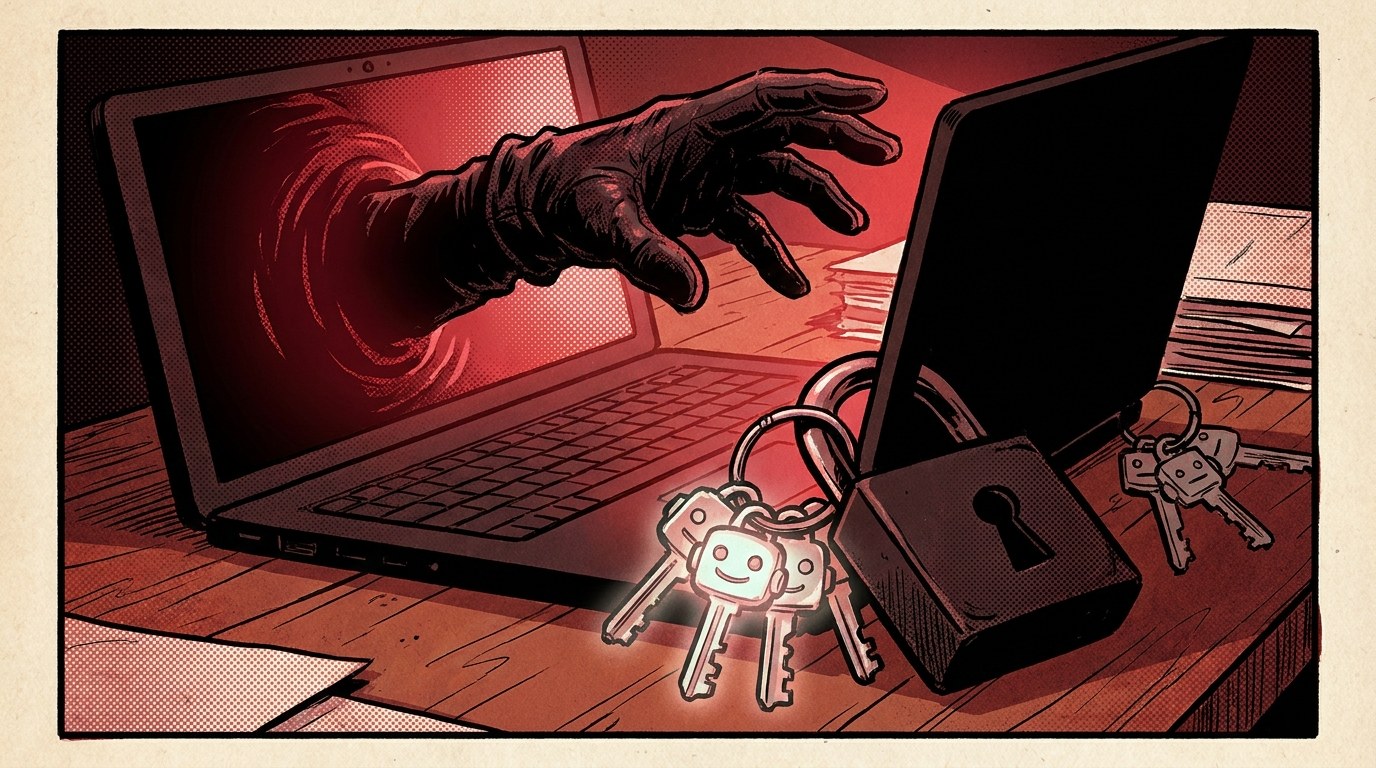
An AI tool access audit answers one question: if someone took over a staff member’s laptop, what could they make that person’s AI tools do? List every AI tool, assistant and agent your team uses, write down what each one can read, send, change or pay for, then remove anything it does not need, add a human approval step for risky actions and make sure you can switch each tool off quickly. For a small team, the first pass takes about 30 minutes.
Key takeaways
- Your AI tools act with your staff’s access. Whoever controls the laptop can usually control the assistant.
- List four powers for each tool: what it can read, send, change and spend.
- Remove what is not needed, especially write access to email, files, payments and customer records.
- Put a human approval step in front of anything that sends money, deletes data or messages customers.
- Know your off switch: how to revoke each tool’s access in minutes.
- Repeat every quarter and whenever you add a new tool or connector.
📘 Main article: This guide supports Nvidia China Chips Standoff: What It Means for Your Access to AI. It turns Nate B Jones’s question about the Binance theft, “what can an attacker get your employee’s AI tools to do?”, into a practical checklist.
In this guide
In his latest video, Nate B Jones highlights one detail from the reported Binance theft. According to Binance, after an engineer’s work computer was compromised, the attackers used one of the company’s internal AI tools to reach other engineers’ computers. The tool was meant to help staff. In the wrong hands, it helped the attackers.
You do not need to be a crypto exchange for this to matter. If your team uses AI assistants connected to email, Google Drive, Slack, your shop or your accounts, this AI tool access audit shows you what is exposed and how to tighten it. For the wider story, read what the Nvidia China chips standoff means for your access to AI.
What is an AI tool access audit?
It is a short review of every AI tool your business uses, focused on permissions, not features. Think of each tool as a new member of staff. You would not give a new starter the keys to the bank account on day one. Your AI tools deserve the same caution.
Why does this matter now?
- AI tools are getting more connected. Assistants and agents now read inboxes, edit documents, run code and trigger automations.
- Attackers are using AI too. Nate argues security pressure will keep rising through 2027, and the Binance case shows an internal AI tool being used as part of an attack.
- Access spreads quietly. Every “connect your account” click adds a permission most people never review again.
What do you need before you start?
- A list of everyone on your team and the devices they use.
- Admin access to your main accounts (Google Workspace or Microsoft 365, Slack, your website, your payment tools).
- A simple spreadsheet with these columns: Tool, Who uses it, Connected to, Read, Send, Change, Spend, Needed?, Fix, Off switch.
💡 Tip: Ask your team rather than guessing. A two-line message, “Which AI tools, browser extensions and automations do you use for work?”, often uncovers tools nobody in charge knew about.
How do you run the audit, step by step?
- List every AI tool. Include chat assistants, AI features inside apps you already use, browser extensions, coding agents, Zapier or Make automations that call AI, and any custom bots.
- Find the connections. In Google, check Security Security > Third-party apps with account accessgt; Your connections to third-party apps and services (and, if you are an admin, the app access controls in the Admin console). In Microsoft 365, check the apps with access to your account. In Slack, check installed apps. Note each AI tool you find.
- Record the four powers. For each tool, write what it can read (email, files, customer data), send (emails, messages, posts), change (files, website, settings, code) and spend (payments, ad budgets, subscriptions).
- Ask the attacker question. “If someone had this person’s laptop and this tool, what is the worst they could do in ten minutes?” Write the answer in one line.
- Mark what is actually needed. If a tool only drafts replies, it does not need to send them. If it only reads one folder, it does not need your whole drive.
- Check where keys live. API keys saved in plain text on a laptop are easy to steal. Move them somewhere safer, as covered in our guide to storing AI API keys safely.
- Write down the off switch for each tool: where you revoke access, rotate a key or disconnect it, and who can do it.
How do you score each tool?
Give each tool a simple risk level so you know where to start.
| Risk | What the tool can do | Example | Action |
|---|---|---|---|
| High | Send money, delete data, message customers, change live systems | Agent with payment or admin access | Fix today: remove or add approval |
| Medium | Read sensitive data or send internal messages | Assistant connected to whole inbox and drive | Limit scope this week |
| Low | Read-only access to non-sensitive data | Chat tool with no connections | Review quarterly |
Which fixes make the biggest difference?
- Switch from “send” to “draft”. Let AI prepare emails and posts, and let a person press send.
- Narrow file access to the folders a tool actually needs.
- Add approval steps for payments, deletions and anything customer-facing. See how to add human approval steps to an AI agent workflow.
- Turn on two-factor authentication for every account an AI tool connects to.
- Separate work and personal use. No downloading “test projects” or unknown files on work machines. Our guide to spotting a fake job interview coding test explains why.
- Remove unused tools and extensions completely, not just from your bookmarks.
⚠️ Warning: Do not rely on an AI tool’s own safety settings as your only control. If the account behind it has wide access, assume an attacker can use that access too.
What mistakes should you avoid?
- Only auditing the official tools. Personal accounts and browser extensions used for work are often the biggest gap. See how to limit browser extension site access.
- Treating the audit as a one-off. New connectors appear every month.
- Not knowing who can pull the plug. If the one person who can revoke access is on holiday, you do not have an off switch.
- Locking things down so hard nobody uses the tools. The goal is the right access, not no access.
Do one tool today. Pick the AI tool with the widest access in your business, record its four powers and remove one thing it does not need. Then read the main article on the Nvidia China chips standoff for the bigger picture.
Frequently asked questions
How often should I audit our AI tools?
Do a full pass every three months and a quick check whenever someone connects a new AI tool, connector or automation.
Do small businesses really need this?
Yes. Small teams often give AI tools broad access because it is quicker, and they rarely have a security team watching. A 30-minute audit closes the most obvious gaps.
What is the single most useful fix?
Switch AI tools from sending or paying directly to drafting for human approval. It stops most of the damage an attacker could do through the tool.
Should I stop using AI tools to be safe?
No. Used with sensible limits, they are valuable. The aim is to give each tool only the access it needs and to know how to switch it off.
What should I do if I think a laptop is compromised?
Disconnect it from the network, revoke the user’s sessions and AI tool connections, rotate any API keys or passwords it held, and get professional help if sensitive data or money could be involved.
The bottom line
AI tools act with the access you give them, so a compromised laptop can turn a helpful assistant into a risk. List your tools, write down what each can read, send, change and spend, remove what is not needed, keep a human in front of risky actions and know your off switch. Thirty minutes now is far cheaper than finding out the hard way.
Related posts
- Nvidia China Chips Standoff: What It Means for Your Access to AI
- How to Stop an AI Agent Sending Your Data Online Without Permission
- How to Write an AI Acceptable Use Policy for a Small Team
